Short answer: the best Apple Mail alternative depends on why you're leaving: Canary Mail (our app) adds read receipts, templates, encryption and AI on Mac and iPhone, and you keep your iCloud account. Outlook is the free pick for work accounts on Microsoft 365, and the safest one for Exchange on a Mac right now. Spark is the polished free option for Mac and iPhone. Thunderbird is free and open source on Mac, and Mimestream is the best Mac app if every account is Gmail.
Apple Mail is a good app, and for a couple of personal accounts it may be all you need. People usually go looking for an alternative for a specific reason: search that misses messages, no read receipts or templates, rules that only run on the Mac, the new categories, or a work account on Microsoft 365. This guide is built around those reasons. Every app below says whether it runs on Mac and iPhone and whether it works with an iCloud address, and the end of the article covers how to switch without losing mail.
Disclosure: we make Canary Mail, so weigh the #1 pick accordingly. Everything about the other apps was checked on each vendor's own site in September 2026.
Apple Mail alternatives compared
| App | Best for | Mac | iPhone / iPad | Works with iCloud | Free plan | Paid price |
|---|---|---|---|---|---|---|
| Canary Mail | Read receipts, templates, encryption, AI | Yes | Yes | Yes | Yes, unlimited accounts (2 devices) | $36/year (Growth), $100/year (Pro+) |
| Microsoft Outlook | Microsoft 365 and Exchange | Yes | Yes | Yes | Yes, with ads | Microsoft 365 Basic $19.99/year removes ads |
| Spark | Polished free app on Mac and iPhone | Yes | Yes | Yes | Yes, limited AI | Plus $10/month or $99/year |
| Thunderbird | Free, open source | Yes | Public TestFlight beta | Yes | Free | Free (donations) |
| Mimestream | Gmail only | Yes | No | No | 14-day trial | $4.99/month or $49.99/year |
| MailMate | IMAP power users | Yes | No | Yes | Trial; non-commercial Free Mode | $10 per 3 months |
| Mailspring | Free, simple desktop client | Yes | No | Yes | Yes | Pro $8/month |
| Mailbird | Former Windows users | Yes (since Oct 2024) | No | Yes | 1 account | Premium, yearly or one-time |
| Airmail | Customizing every action | Yes | Yes | Yes | Yes, basic | Pro $7.99/month |
| Superhuman | Keyboard-first speed | Yes | Yes | No (Gmail and Microsoft only) | No | From $25/user/month, billed yearly |
Should you leave Apple Mail?
Start with what you'd give up. Apple Mail is free, already set up with your iCloud account on every Apple device, and has no ads. Mail Privacy Protection hides your IP address and loads remote content privately, so senders can't reliably tell when you open their email. It has Send Later, Remind Me, Follow Up suggestions and Undo Send. On a Mac with Apple silicon or a recent iPhone, Apple Intelligence adds message summaries, Smart Reply and Priority Messages, and Mail now sorts incoming mail into categories (Primary, Transactions, Updates and Promotions). We cover those features in our guide to AI in Apple Mail.
If Mail handles your accounts and nothing below bothers you, stay. If one of these does, this table points to the app that fixes it:
| If this bothers you in Apple Mail | Try |
|---|---|
| Search misses messages or is slow on large mailboxes | Canary Mail, MailMate, Mimestream (Gmail) |
| No read receipts (see what works in Mac Mail) | Canary Mail, Mailspring Pro |
| No real template library (workarounds here) | Canary Mail, Spark, Outlook |
| Rules only run on the Mac, not the iPhone | Server-side rules instead: iCloud.com rules, Gmail filters or Outlook with Microsoft 365 (they apply on every device, whatever app you use) |
| You don't like the new categories | Turn them off first (see the FAQ), or Spark's Smart Inbox |
| Work account on Microsoft 365 or Exchange | Outlook |
| Every account is Gmail | Mimestream on Mac; Superhuman or Shortwave on Mac and iPhone |
| You need PGP encryption | Canary Mail (Pro+), Thunderbird (built-in OpenPGP) |
| You also use Windows or Android | Canary Mail, Outlook, Spark |
| You want it free | Outlook, Spark, Thunderbird, Mailspring |
Using Microsoft 365 or Exchange on a Mac? Read this first
Microsoft is switching off Exchange Web Services (EWS) in Exchange Online. From October 1, 2026, EWS is turned off in every Microsoft 365 organization that hasn't told Microsoft it still needs it, and on April 1, 2027 it stops working for everyone. Until April, an IT admin can turn EWS back on for the organization.
This matters for Apple Mail because, according to Apple's own deployment guide, Mail on the Mac talks to Exchange through EWS. Mail on iPhone and iPad uses Exchange ActiveSync instead, so it isn't affected. Apple says it is working with Microsoft to move Mail, Calendar, Contacts, Notes and Reminders to Microsoft's Graph API "in a future update to macOS 27". As of late September 2026 there is no release date, and early reports say the first macOS 27 builds still use EWS.
What to do if your work email is on Microsoft 365:
- Ask IT whether EWS will stay on for your organization after October 1, and for how long.
- If it won't, install Outlook for Mac, which is free, and use it for the work account until Apple ships its update. Keep Apple Mail for personal accounts if you like.
- If you'd rather use another app, check how it connects. Clients that add Microsoft 365 over IMAP with Microsoft sign-in don't depend on EWS, but your company must allow IMAP and third-party apps. Any app's "Exchange" option that uses EWS has the same problem as Apple Mail.
- Accounts on your own Exchange Server (not Exchange Online) aren't part of this change.
The 10 best Apple Mail alternatives in 2026
1. Canary Mail: Best overall Apple Mail alternative for Mac and iPhone
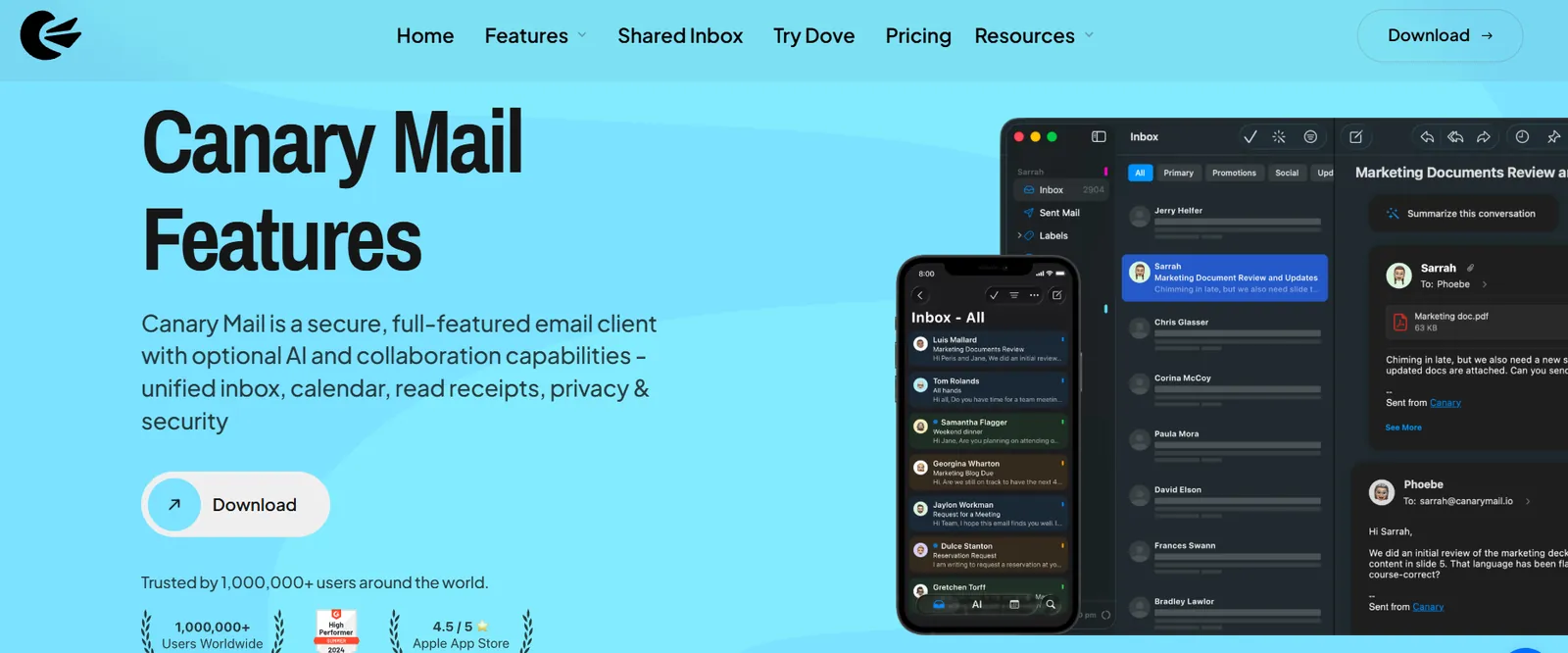
Disclosure: this is our app.
Canary is the closest thing to "Apple Mail with the missing pieces added". It looks at home on a Mac, runs on iPhone and iPad too, and connects iCloud, Gmail, Outlook.com, Yahoo and any IMAP account. On top of that it adds what Apple Mail doesn't have: read receipts, reusable templates, PGP and SecureSend encryption, phishing and impersonation alerts, and an AI assistant that drafts replies and summarizes long threads. It also runs on Windows and Android, so the same inbox follows you if you ever leave Apple hardware. For a side-by-side look, see our Apple Mail vs Canary comparison.
- Mac / iPhone: both, plus iPad, Windows and Android
- iCloud: yes
- Free plan: unlimited accounts on up to 2 devices
- Paid: Growth $36/year (read receipts, AI, send later) or Pro+ $100/year (adds PGP, SecureSend, phishing and impersonation protection); both also sold as lifetime licenses, with a 7-day trial
- iPhone rating: 4.5 on the US App Store (8,786 ratings), as of October 16, 2026
- Watch out for: read receipts, AI and encryption need a paid plan, and the free plan covers two devices.
2. Microsoft Outlook: Best for Microsoft 365 and Exchange

Outlook is free on Mac and iPhone, and it is the one app Microsoft builds for its own mail service, which makes it the obvious answer for a work account on Microsoft 365, especially with the EWS change above. Mail and calendar live in one window, shared calendars and Exchange rules work as IT expects, and Copilot can summarize and draft if your plan includes it. It also takes Gmail, Yahoo and iCloud accounts. By default, new Outlook for Mac syncs an iCloud account through the Microsoft Cloud; you can pick "Sync directly" when you add it if you'd rather it didn't. More in Apple Mail vs Outlook.
- Mac / iPhone: both, plus Windows, Android and web
- iCloud: yes
- Free plan: yes; free accounts see ads in the inbox
- Paid: Microsoft 365 Basic ($19.99/year) removes ads and adds 100 GB of mailbox storage
- iPhone rating: 4.8 on the US App Store (9,320,935 ratings), as of October 16, 2026
- Watch out for: a busier interface than Apple Mail, and the cloud sync for non-Microsoft accounts.
3. Spark: Best free alternative that feels like a Mac app

Spark is the most common next step from Apple Mail: a clean design, the same app on Mac and iPhone, and a Smart Inbox that separates people from newsletters and notifications. Templates, snooze, send later and follow-up reminders are built in, and the paid plans add team features such as shared drafts and comments.
- Mac / iPhone: both, plus Windows and Android
- iCloud: yes
- Free plan: unlimited accounts; the free AI is a limited preview that only looks back one month
- Paid: Plus $10/month or $99/year; Pro $20/month or $199/year
- iPhone rating: 4.6 on the US App Store (82,668 ratings), as of October 16, 2026
- Watch out for: Spark syncs mail through Readdle's servers for features like push notifications, and the AI tools are on paid plans. See Spark alternatives if either is a problem.
4. Thunderbird: Best free, open-source alternative

Thunderbird is free, open source and far more configurable than Apple Mail: detailed filters, tags, saved searches, a calendar, add-ons and built-in OpenPGP encryption. The catch for Apple users has always been the iPhone. Thunderbird for iPhone and iPad isn't on the App Store yet, but an early public beta is available through TestFlight, linked from Thunderbird's iOS roadmap. Until the full release, you'd pair it with Apple Mail or another app on your phone. If you want something similar that already runs on iPhone, see our Thunderbird alternative for Mac and iOS.
- Mac / iPhone: Mac yes; iPhone public TestFlight beta (not on the App Store). Also Windows, Linux and Android
- iCloud: yes
- Price: free (donation-funded)
- Watch out for: it looks and feels less like a Mac app than the others here.
5. Mimestream: Best Mac app if every account is Gmail
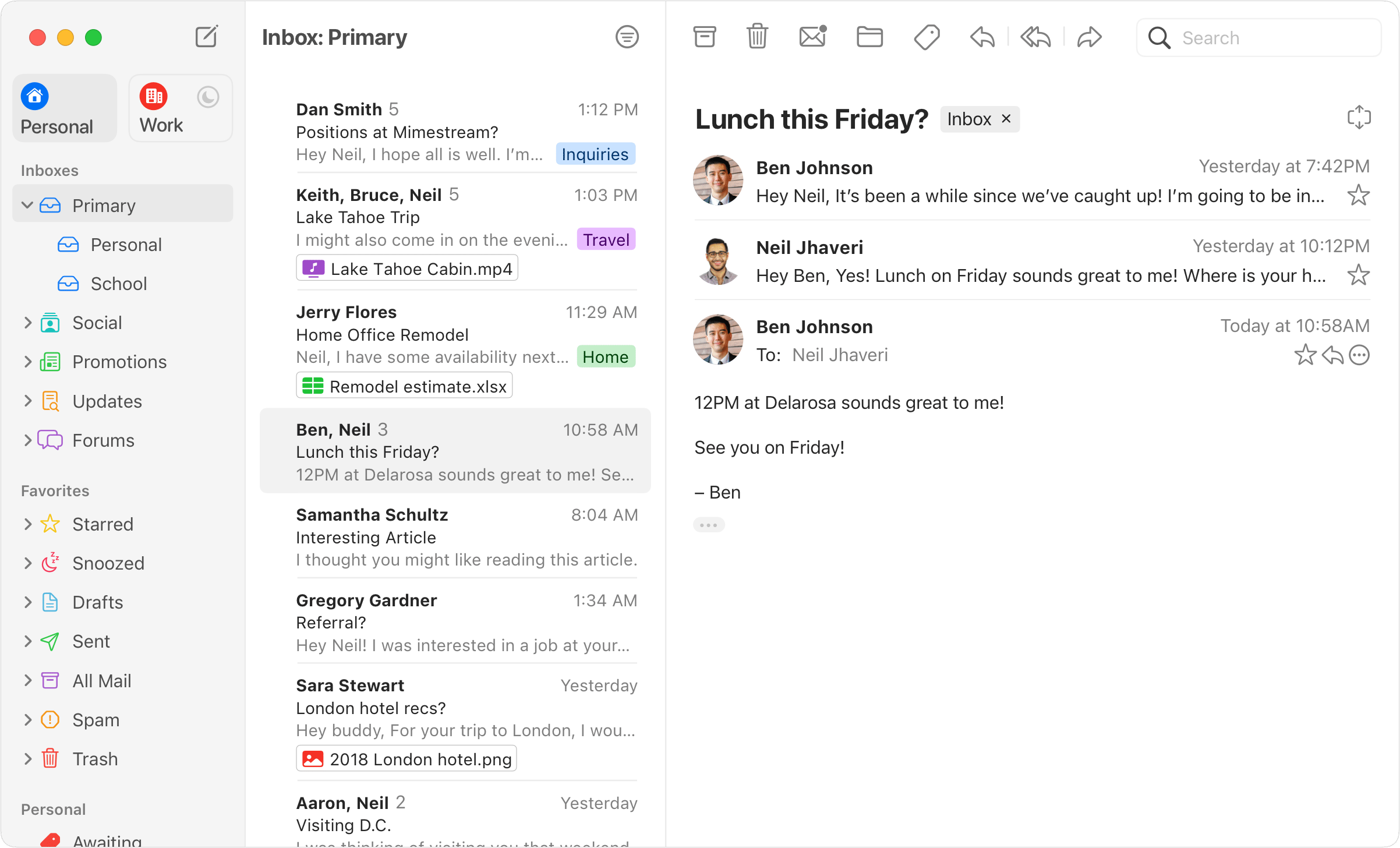
If you left Gmail's website for Apple Mail and never liked how Mail handles labels, Mimestream is the fix. It is a native Mac app that uses Gmail's own API, so labels, categories, filters, aliases and Gmail search work exactly as they do on the web. If you're still deciding between the two, our Apple Mail vs Gmail comparison covers the trade-offs.
- Mac / iPhone: Mac only (macOS 12 or later); no iPhone app
- iCloud: no; Gmail and Google Workspace only
- Price: $4.99/month or $49.99/year after a 14-day trial
- Watch out for: one non-Gmail account and it's out. More options in Mimestream alternatives.
6. MailMate: Best for IMAP power users on Mac
MailMate is a keyboard-driven IMAP client for people who find Apple Mail too simple. Its search and smart mailboxes are far more precise than Mail's, you write in plain text or Markdown, and it follows email standards closely. It is plain-looking and not for everyone, but people who like it tend to use it for years.
- Mac / iPhone: Mac only
- iCloud: yes (IMAP accounts only)
- Price: about 14 days of trial use, then $10 every three months; if you stop paying it drops to a Free Mode meant for non-commercial use
- Watch out for: no Exchange or Gmail API support, and no phone app.
7. Mailspring: Best free, simple desktop client

Mailspring is a free, fast client with a unified inbox and quick search. The Pro plan adds read receipts, link tracking, send later, follow-up reminders and templates, which covers several things Apple Mail lacks.
- Mac / iPhone: Mac, Windows and Linux; no iPhone or Android app
- iCloud: yes
- Price: free; Pro $8/month
- Watch out for: it is not a native Mac app, and without a phone app your setup stops at the desk. See Mailspring alternatives.
8. Mailbird: Best for people coming from Mailbird on Windows
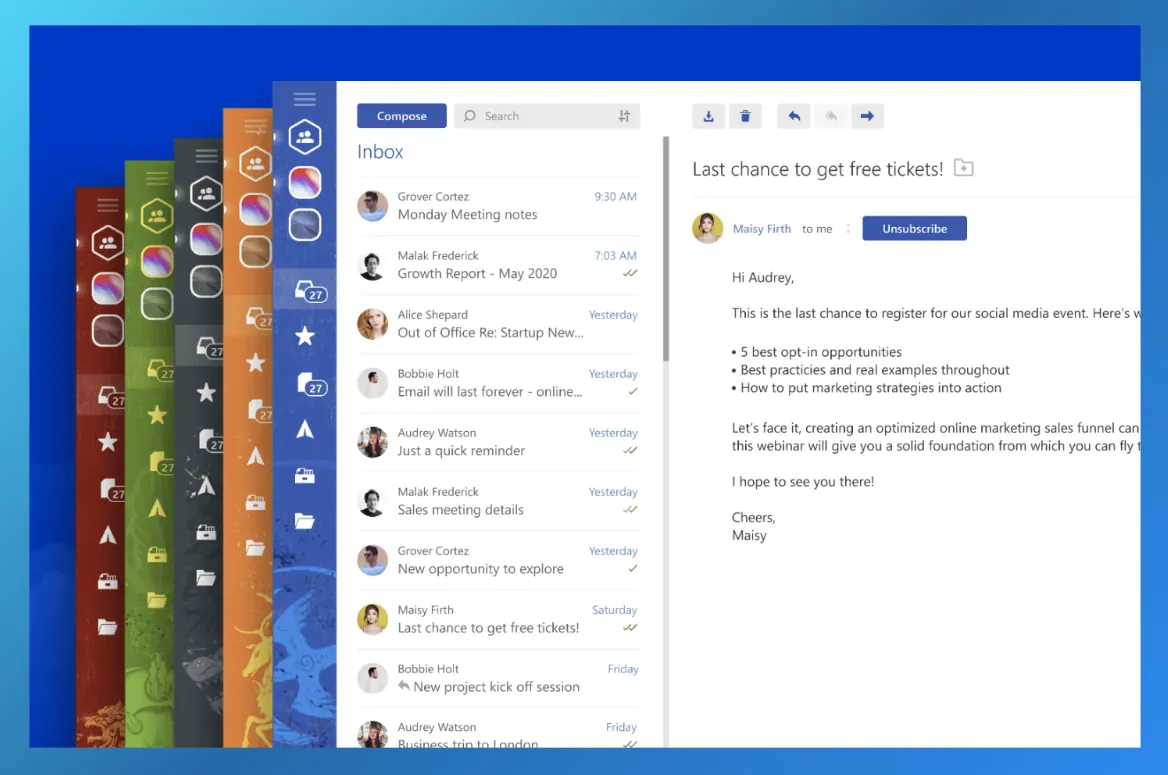
Mailbird was Windows-only for years and launched on Mac in October 2024. It combines a unified inbox with built-in apps such as calendars and messaging in a sidebar. It makes most sense if you already use it on a Windows PC and want the same thing on your Mac.
- Mac / iPhone: Mac (macOS Ventura or later) and Windows; an iPhone app has just appeared on the US App Store (no ratings yet)
- iCloud: yes
- Free plan: one email account
- Paid: Premium, yearly or pay once (the price shown depends on your region)
- Watch out for: the free plan's one-account limit, and no phone app. More in Mailbird alternatives.
9. Airmail: Best for customizing every action

Airmail has been an Apple-only alternative for a decade. You can change almost everything: swipe actions, toolbar buttons, smart folders and actions that send a message to apps like Things, OmniFocus or Fantastical. It supports iCloud, Gmail, Exchange, Office 365 and IMAP accounts.
- Mac / iPhone: both, plus iPad, Apple Watch and Vision Pro
- iCloud: yes
- Free plan: yes, with Pro features locked
- Paid: Pro $7.99/month; the yearly price is $49.99 on the Mac App Store and $39.99 on the iPhone App Store
- iPhone rating: 4.3 on the US App Store (4,431 ratings), as of October 16, 2026
- Watch out for: the number of settings can be a lot if you just want a calm inbox. See Airmail alternatives.
10. Superhuman: Best for keyboard-first speed
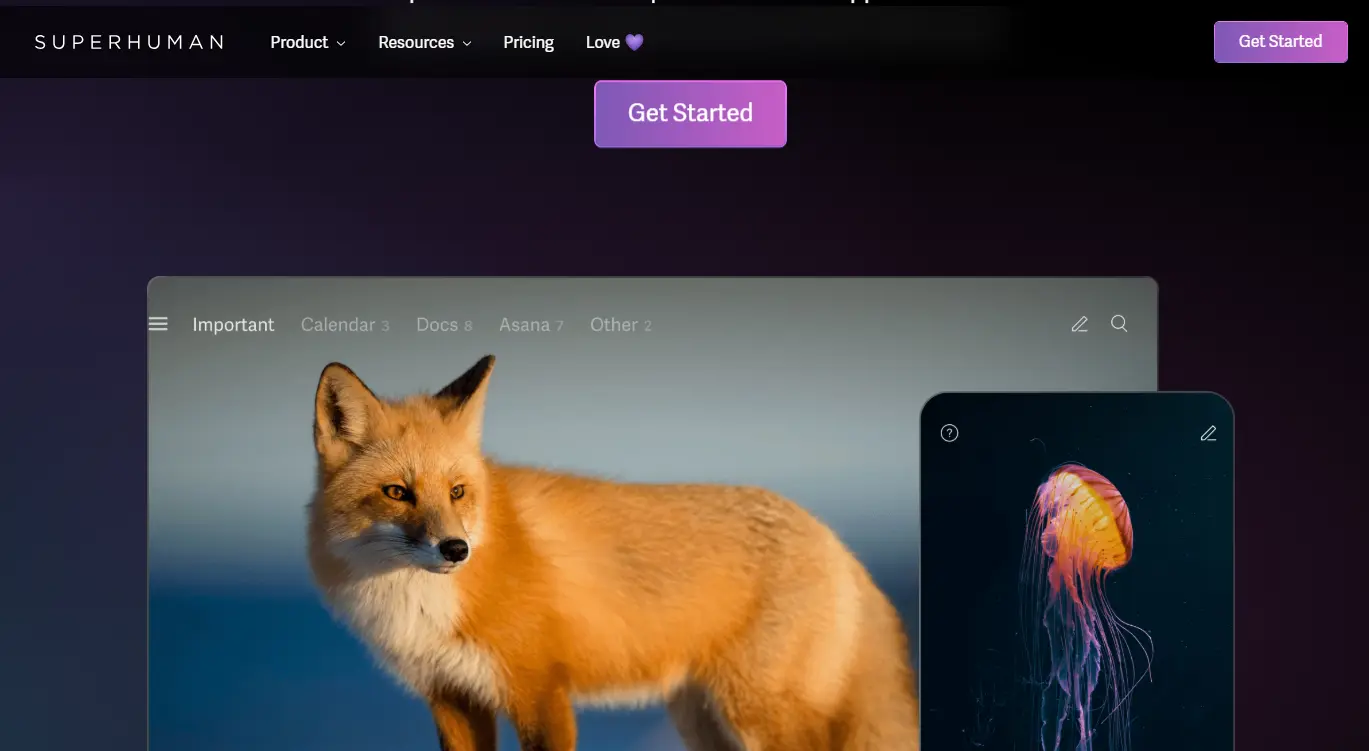
Superhuman is built for people who process hundreds of emails a day. Nearly everything has a keyboard shortcut, the split inbox separates important mail from the rest, and AI helps with triage and drafting. It is especially popular on Mac and iPhone.
- Mac / iPhone: both
- iCloud: no; Gmail, Google Workspace and Microsoft 365 accounts only
- Price: Starter $25 per user/month billed yearly; Business $33; no free plan
- iPhone rating: 4.6 on the US App Store (3,702 ratings), as of October 16, 2026
- Watch out for: the price, and no iCloud or IMAP accounts. Cheaper options are in Superhuman alternatives.
Also worth a look
- Shortwave: an AI-first client for Gmail. You sign in with a Gmail or Google Workspace account, and you can add iCloud as an extra account with an app-specific password. Microsoft 365 isn't supported. Runs on Mac, iPhone, Windows and Android; no free plan, 14-day trial, then from $30 per user/month.
Or switch email service, not just the app. If what you really want is a different mailbox, Proton Mail gives you end-to-end encrypted email with a new address (its Mac desktop app is a 14-day trial on the free plan and included in paid plans), and HEY ($99/year) gives you a new @hey.com address with a Screener that decides who can reach you. Neither is a client for your existing iCloud or Gmail account.
Which Apple Mail alternative should you pick?
- You want Apple Mail, but with the missing features: Canary Mail.
- Your work email is on Microsoft 365: Outlook, at least for that account.
- You want free and polished on Mac and iPhone: Spark or Outlook.
- You want free and open source: Thunderbird on the Mac, keeping Apple Mail on your iPhone until the iOS app ships.
- Everything is Gmail: Mimestream on the Mac, or Superhuman if speed matters more than price.
- You live on the keyboard and use IMAP: MailMate.
If you're comparing every Mac client, not just replacements for Mail, our full ranking of the best email clients for Mac includes Apple Mail itself.
How to switch from Apple Mail without losing anything
Switching apps doesn't move your email anywhere. With iCloud, Gmail, Outlook.com, Microsoft 365 and other IMAP accounts, your mail stays on the provider's server, and the new app simply shows the same mailbox. A few things do live only in Apple Mail, so check them before you remove anything:
- Add your accounts to the new app. Use the provider's sign-in screen where offered. For iCloud, create an app-specific password at account.apple.com (Sign-In and Security) and use that instead of your Apple Account password.
- Export local mailboxes. Anything under On My Mac is stored only on that Mac. Select the mailbox and choose Mailbox > Export Mailbox to save it as an .mbox file, which most desktop clients can import. Or drag those messages into a folder on your iCloud or Gmail account so they sync everywhere.
- Recreate your rules. Mail's rules don't transfer. Screenshot them from Mail > Settings > Rules, then rebuild them in the new app, or better, as server-side filters in iCloud.com or Gmail so they work on every device.
- Copy your signatures. Open Mail > Settings > Signatures and paste each one into the new app.
- Set the new default mail app. On a Mac, open Mail, choose Mail > Settings > General and pick the app under Default email reader (some apps offer to do this for you). On iPhone, go to Settings > Apps > Default Apps > Email.
- Run both for a week. Keep Apple Mail installed but stop using it. If search, notifications and sending all work in the new app, turn off the accounts in Mail. There's no need to delete Mail itself, and you can't on a Mac anyway.
When to stay with Apple Mail
Stay if you use one to three personal accounts, mostly iCloud, only on Apple devices, and you're happy with the privacy defaults. Apple Mail costs nothing, needs no setup, and now has summaries and Smart Reply on supported devices. A lot of complaints also have fixes inside Mail: you can turn off categories, schedule messages with Send Later, and search is much better once you learn its operators (see Apple Mail search tips). The one case where waiting is risky is a Microsoft 365 work account on a Mac after October 1, 2026.
[cta-block:ctablock1,title="Keep your iCloud account, get the features Mail is missing",button="Download Canary Mail",buttonlink="https://canarymail.io/downloads"]
FAQ
What is the best alternative to Apple Mail?
For most people who want to keep their accounts and add features, Canary Mail (our app) or Spark, both on Mac and iPhone. For a work account on Microsoft 365, Outlook. For Gmail-only setups on a Mac, Mimestream.
What is the best free Apple Mail alternative?
Outlook, Spark, Thunderbird and Mailspring are free, and Canary Mail has a free plan with unlimited accounts on two devices. Outlook and Spark also run on iPhone; Thunderbird's iPhone app is an early public beta on TestFlight, not yet on the App Store. Free Outlook.com accounts show ads, and Spark's free plan has only limited AI.
What is the best Apple Mail alternative for iPhone?
Canary Mail, Outlook, Spark and Airmail all have iPhone apps that match their Mac versions. Superhuman is an option if all your accounts are Gmail or Microsoft 365. Mimestream, MailMate, Mailspring and Mailbird are desktop-only.
Does Apple Mail still work with Microsoft 365 and Exchange?
On iPhone and iPad, yes, because they connect over Exchange ActiveSync. On a Mac, Mail uses Exchange Web Services, which Microsoft starts turning off in Exchange Online on October 1, 2026 and removes completely on April 1, 2027. Apple says a future macOS 27 update will move Mail to Microsoft's Graph API. Until then, ask IT whether EWS stays on, or use Outlook for Mac for the work account.
Can I keep my iCloud email address if I switch apps?
Yes. Your address belongs to your iCloud account, not to the Mail app. Every app in this list except Mimestream and Superhuman can add iCloud Mail using an app-specific password.
Will I lose my emails if I stop using Apple Mail?
No, not for IMAP, iCloud, Gmail or Exchange accounts, because the mail stays on the server. Only mailboxes listed under On My Mac are stored locally. Export them with Mailbox > Export Mailbox or move them into an online folder first.
How do I change the default email app on Mac and iPhone?
On a Mac, open Mail and go to Mail > Settings > General, then choose the app under Default email reader. On iPhone, go to Settings > Apps > Default Apps > Email and pick the app.
Does Apple Mail support read receipts, templates or PGP?
Not really. There's no read receipt option, templates need workarounds, and PGP needs a third-party plug-in (S/MIME is built in). Canary Mail has all three; Thunderbird has built-in OpenPGP; Mailspring Pro has read receipts and templates.
Is Thunderbird better than Apple Mail?
It's more powerful and customizable on a Mac, and it's free and open source. Apple Mail is simpler, better integrated with macOS and runs on iPhone. Thunderbird for iOS is only an early public beta on TestFlight, so for now you'd need a second app on your phone.
Can I turn off Apple Mail categories instead of switching?
Yes. On a Mac, choose View in Mail and untick Show Mail Categories. On iPhone, tap the More button at the top of the inbox and switch to List View. Your mail goes back to a single list.
How we chose
We make Canary Mail (#1), so read that pick with this in mind. The other apps are the ones that appear most often on top-ranking Apple Mail alternative lists, minus Apple Mail itself. For each, we checked platforms, iCloud support, free-plan limits and prices on the vendor's own pricing, help and App Store pages in September 2026. The Exchange section is based on Microsoft's EWS retirement notices and Apple's deployment guide, checked on September 25, 2026. Prices are US list prices and change often.
Sources
Checked September 2026.
- Microsoft, EWS retirement timeline: techcommunity.microsoft.com (Exchange Team blog, "Exchange Online EWS, Your Time is Almost Up", updated Sep 9, 2026) and learn.microsoft.com (Deprecation of Exchange Web Services in Exchange Online)
- Apple, Exchange protocols and Graph plans: support.apple.com/guide/deployment (Integrate Apple devices with Microsoft Exchange)
- Apple, default email app: support.apple.com/102362 (Mac), support.apple.com/guide/iphone (Change the default apps)
- Canary Mail pricing: canarymail.io/pricing
- Outlook for Mac and iCloud sync: microsoft.com, support.microsoft.com; Microsoft 365 Basic: microsoft.com/microsoft-365/basic
- Spark pricing: sparkmailapp.com/pricing
- Thunderbird for iOS: roadmaps.thunderbird.net/en-US/ios, blog.thunderbird.net (July 2026)
- Mimestream: mimestream.com/pricing
- MailMate: freron.com/pricing
- Mailspring: getmailspring.com/pro
- Mailbird: getmailbird.com/pricing, getmailbird.com/mailbird-for-mac-users
- Airmail: airmailapp.com, App Store listings
- Superhuman: superhuman.com/plans/mail
- Shortwave: shortwave.com/pricing, shortwave.com/docs
- Proton Mail: proton.me/mail/pricing; HEY: hey.com/pricing
- App Store and Google Play ratings: each app's US store listing, checked October 16, 2026