Short answer: Google doesn't make a Gmail app for Mac. The quickest free fix is to install Gmail as a web app from Safari or Chrome, which gives it its own window and Dock icon. If you want a real Mac app, Mimestream is the best one built only for Gmail. If Gmail is one of several accounts, look at Canary Mail (our app), Apple Mail or Spark. On iPhone, Google's own Gmail app is good enough for most people.
Disclosure: we make Canary Mail, and Dove comes from the same company. Both are on this list and clearly marked. Every price and feature below was checked on the vendor's own site or App Store listing on September 28, 2026.
This guide is mostly about the Mac, because that is where the gap is: Google has official Gmail apps for iPhone, iPad and Android, but not for macOS. The iPhone section is further down. If you are comparing Mac email apps in general, not just for Gmail, our guide to the best email clients for Mac covers the wider field.
Is there a Gmail app for Mac?
No. Google has never released a Gmail app for macOS, and there is no official one in the Mac App Store. Apps with "Gmail" in the name there are made by other developers. That leaves three ways to use Gmail on a Mac:
| Route | Cost | Feels like | Offline | Several accounts |
|---|---|---|---|---|
| Gmail in a browser tab | Free | A website | Chrome only, with Gmail offline turned on | Switch accounts in Gmail |
| Gmail as a web app (Safari or Chrome) | Free | Its own app window and Dock icon | Chrome version only | Best with one account per web app |
| A Mac email app | Free to about $50/year | A native Mac app | Yes, mail is stored on your Mac | Yes, in one window |
Install Gmail as a web app
If Gmail's own interface suits you and the only problem is that it lives in a browser tab, this takes a minute and costs nothing.
- Safari (macOS Sonoma 14 or later): open mail.google.com, choose File > Add to Dock, name it and click Add. The web app gets its own window, Dock icon and notification badge, and it keeps its own cookies, so you sign in to Google again inside it.
- Chrome: open Gmail, then choose More > Cast, save and share > Install page as app. Turn on Gmail offline in Gmail's settings if you want to read and write mail without a connection; Gmail only supports offline mode in Chrome.
The catch is multiple Google accounts: a web app is easiest with one account in it, so people with a personal and a work Gmail often end up with two web apps, or back in a browser. That, plus wanting other providers in the same inbox, is usually why people move to a proper Mac app.
When the browser is enough
Stay with Gmail on the web if you have one Google account, you already work in Chrome all day, and you rely on Gmail-only features such as its categories, add-ons or the Gemini side panel. A Mac app is worth it when you have several accounts, want mail stored on your Mac, or want features Gmail doesn't have, such as read receipts, templates across accounts or PGP.
Gmail apps for Mac compared
| App | Connects to Gmail via | Other providers | iPhone app | Price |
|---|---|---|---|---|
| Canary Mail | Gmail sign-in, with Gmail labels | Yes | Yes | Free (2 devices); $36/year or $100/year |
| Mimestream | Gmail API | No, Google accounts only | No | $4.99/month or $49.99/year |
| Apple Mail | IMAP (labels appear as mailboxes) | Yes | Yes | Free |
| Gmail web app | Gmail itself | No | Official Gmail app | Free |
| Dove | Gmail sign-in | Yes | Yes | Free tier; $20/month or $200/year |
| Spark | Gmail sign-in | Yes | Yes | Free; Plus $10/month or $99/year |
| Outlook for Mac | Microsoft Cloud sync by default | Yes | Yes | Free, with ads |
| Superhuman | Gmail sign-in | Outlook only | Yes | From $25 per user/month, billed yearly |
| Airmail | Gmail sign-in | Yes | Yes | Free; Pro $7.99/month |
| Thunderbird | IMAP | Yes | Beta only | Free |
The best Gmail apps for Mac in 2026
1. Canary Mail: Best for Gmail plus your other accounts, with AI and encryption
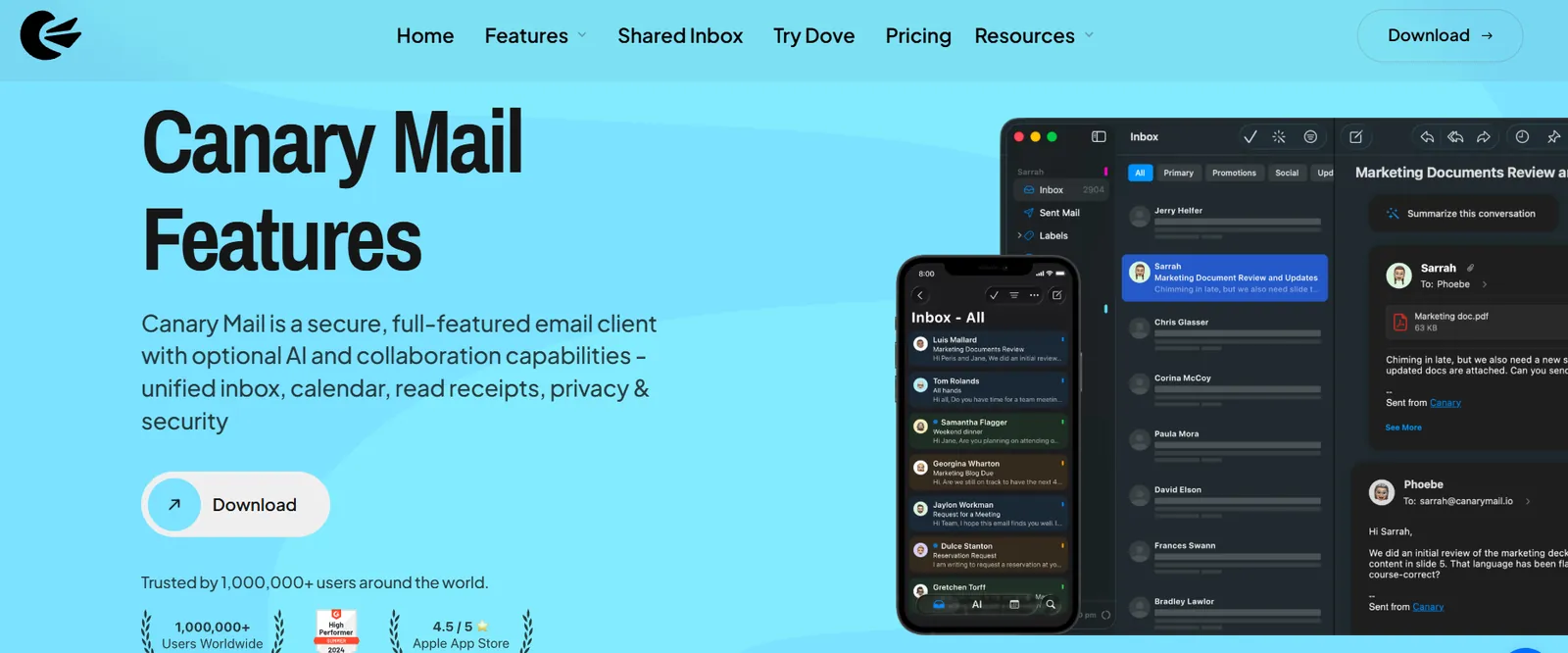
Disclosure: this is our app. Canary is a Mac and iPhone mail app that keeps Gmail working the way you expect, including real Gmail labels you can add, remove and create, while putting your iCloud, Outlook, Yahoo and work accounts in the same inbox. On top of that it adds things Gmail on the web doesn't have: read receipts, templates, PGP and SecureSend encryption, and an AI assistant that drafts replies and summarizes long threads. More than 2 million people use it, and Apple has featured it on both the App Store and the Mac App Store.
- Who it's for: people with Gmail and at least one other account who want one app on Mac and iPhone
- Price: free for unlimited accounts on up to 2 devices; Growth $36/year (AI, full read receipts, send later, 5 devices); Pro+ $100/year (adds PGP, SecureSend and phishing protection). Both paid plans are also sold as lifetime licenses, with a 7-day trial and no card required.
- Platforms: Mac, iPhone, iPad, Windows, Android
- Standout features: Gmail labels on Mac and iOS, unified inbox, read receipts, templates, AI drafting and summaries, PGP, tracker blocking
- iPhone rating: 4.5 on the US App Store (8,786 ratings), as of October 16, 2026
- Downside: the AI and the more advanced features are on paid plans, and there's no monthly billing, only yearly or lifetime. If every account you have is Gmail and you want Gmail's exact behavior, Mimestream is the closer match.
2. Mimestream: Best Mac app if every account is Gmail
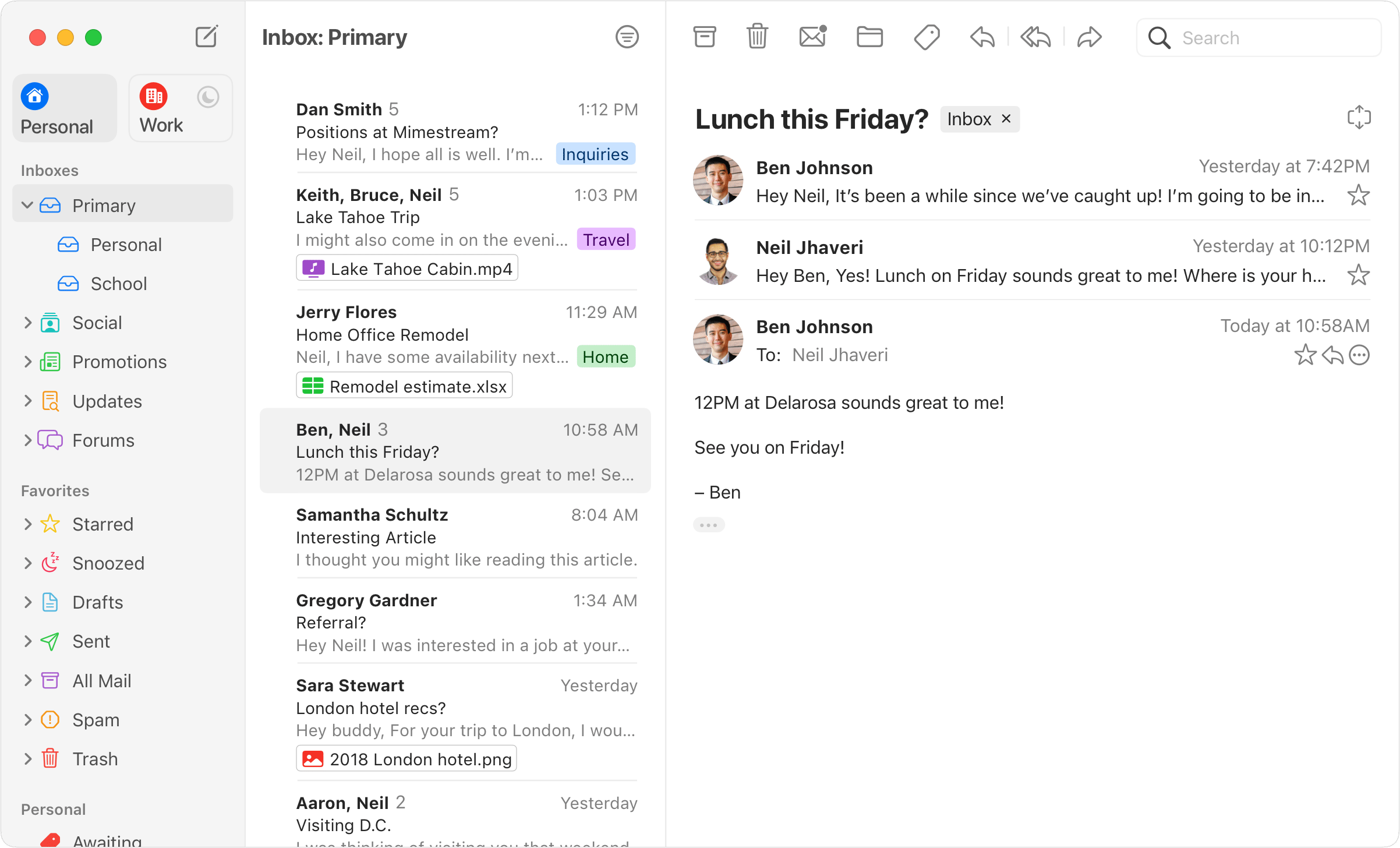
Mimestream is the closest thing to the Gmail app Google never made. It is a native Mac app that talks to Gmail through Google's own API rather than IMAP, so labels, categories, filters, aliases and Gmail search behave exactly as they do on the web. It also blocks trackers from more than 75 common services and handles several Google accounts at once.
- Who it's for: people whose mail is entirely Gmail or Google Workspace
- Price: $4.99/month or $49.99/year after a 14-day free trial (no card needed)
- Platforms: Mac only (macOS 12 Monterey or newer); no iPhone app
- Standout features: Gmail API sync, Gmail search, inbox categories, tracker blocking, snooze, calendar invitation replies
- Downside: it only works with Google accounts, so one iCloud or Outlook address rules it out, and there is no iPhone version. More options are in our list of Mimestream alternatives.
3. Apple Mail: Best free app already on your Mac
Apple Mail is free, already installed and works fine with Gmail once you add the account in System Settings. It has Send Later, Remind Me and Undo Send, and on Macs with Apple silicon, Apple Intelligence adds summaries and Smart Reply. It connects to Gmail over IMAP, so Gmail labels show up as mailboxes and a message with two labels appears in two places.
- Who it's for: people with one or two accounts who want something free and simple
- Price: free
- Platforms: Mac, iPhone, iPad
- Standout features: system-wide integration, Send Later, Remind Me, Mail Privacy Protection, Apple Intelligence on supported Macs
- iPhone rating: 4.6 on the US App Store (4,506,616 ratings), as of October 16, 2026
- Downside: Gmail's categories and labels don't map neatly, search can be slow on very large mailboxes, and there are no read receipts or templates. We compare the two in detail in Apple Mail vs Gmail.
4. Gmail as a web app: Best free way to keep Gmail exactly as it is
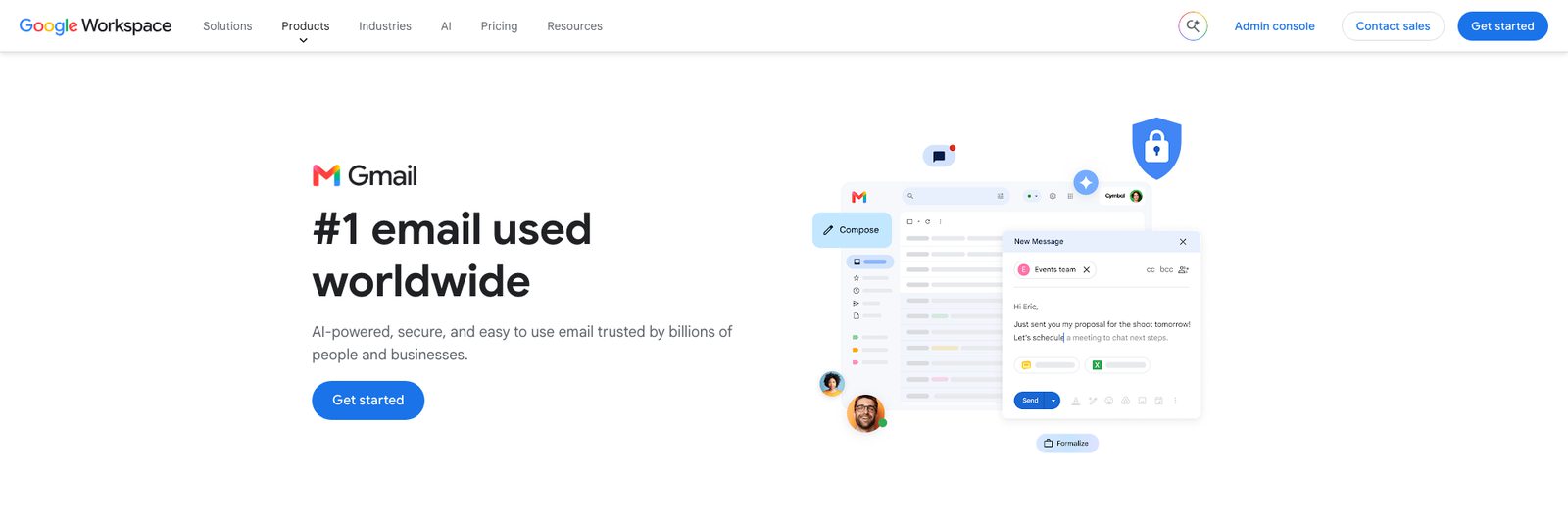
Installing Gmail from Safari or Chrome, as described above, gives you Gmail itself in an app window. Nothing to learn and every Gmail feature is there, including Gemini if your plan has it.
- Who it's for: people with one Google account who like Gmail's interface
- Price: free
- Platforms: any Mac with Safari on macOS Sonoma 14 or later, or Chrome
- Standout features: exactly Gmail, notifications and a Dock badge, Gmail offline in the Chrome version
- Downside: it is still a website underneath, it handles several Google accounts awkwardly, and it can't show non-Google accounts.
5. Dove: Best for AI triage across Mac, iPhone, Android and Windows
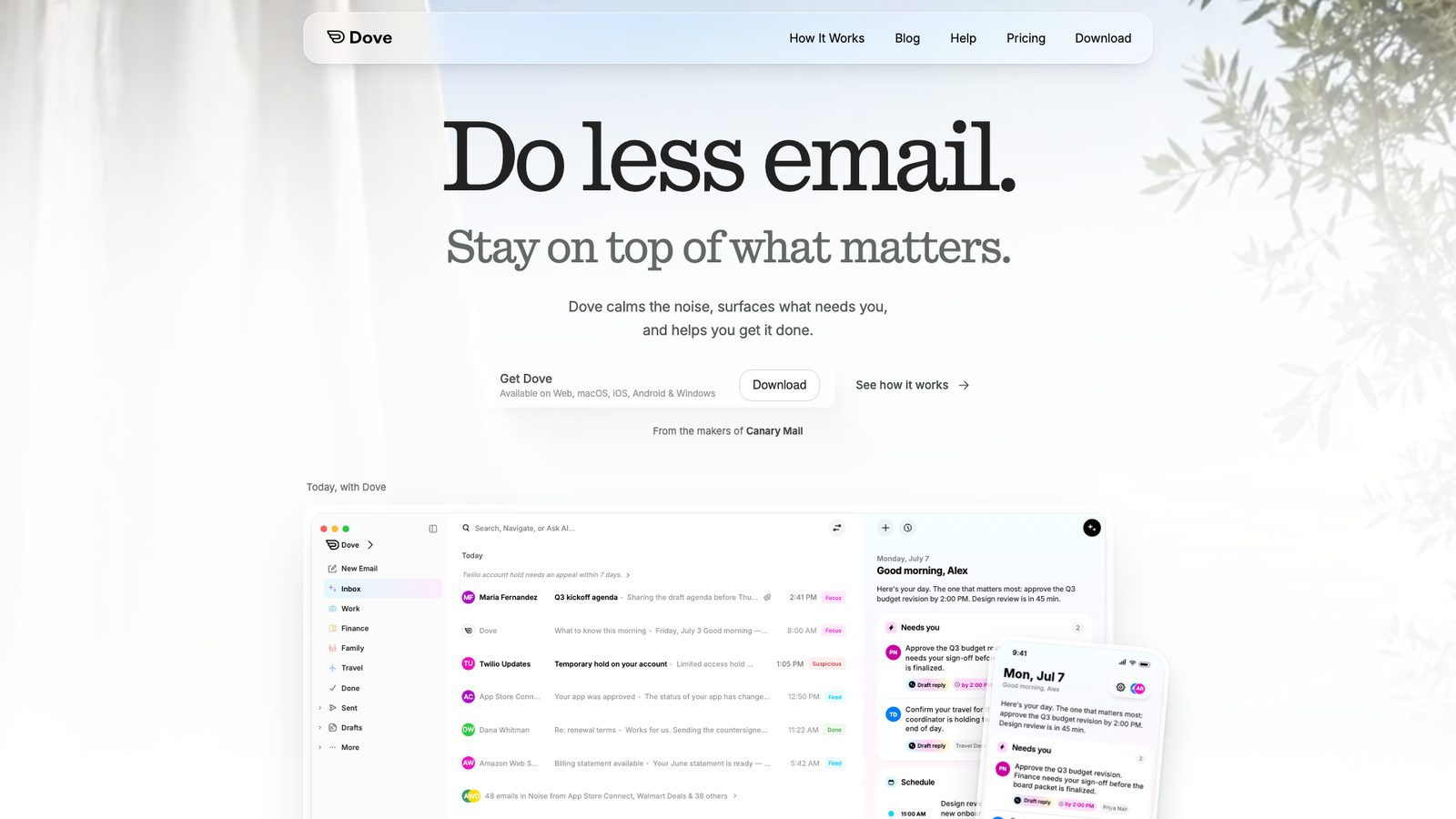
Dove is made by the same company as Canary Mail. Dove is built around AI sorting: it splits incoming mail into what needs you, what you might read and what is noise, and its Today view and Wingman assistant help you get through it. It works with Gmail and Google Workspace, Outlook and Microsoft 365, and IMAP accounts, with no limit on how many you add.
- Who it's for: people who get a lot of mail and want AI to do the first pass, on more than just Apple devices
- Price: free with 10 AI actions a day; Pro $20/month or $200/year with unlimited AI. The 7-day trial needs a card and falls back to the free plan.
- Platforms: Mac, iPhone, Android, Windows, web
- Standout features: AI triage, daily Today view, Wingman replies, unlimited accounts
- iPhone rating: 4.7 on the US App Store (21 ratings), as of October 16, 2026
- Downside: it is built around AI, so if you want a traditional inbox you will use a fraction of it, and the free plan's daily AI limit runs out quickly.
6. Spark: Best free Gmail app with a smart inbox

Spark is a polished app on Mac and iPhone that sorts mail into people, notifications and newsletters. Snooze, send later, follow-up reminders and templates are built in, and the paid plans add AI and team features such as shared drafts.
- Who it's for: people who want a free, good-looking app with inbox sorting
- Price: free with unlimited accounts (the free AI only looks back one month); Plus $10/month or $99/year; Pro $20/month or $199/year
- Platforms: Mac, iPhone, iPad, Windows, Android
- Standout features: Smart Inbox, snooze, send later, templates, team collaboration
- iPhone rating: 4.6 on the US App Store (82,668 ratings), as of October 16, 2026
- Downside: the free AI is a limited preview that only looks back a month, the full AI is on paid plans, and Spark syncs mail through its own servers to power features like push notifications. See Spark alternatives if that is a concern.
7. Microsoft Outlook: Best free app if you also use Microsoft 365

Outlook for Mac is free and takes Gmail accounts alongside Microsoft ones, with mail and calendar in one window. When you add a Gmail account, the new Outlook syncs it through the Microsoft Cloud by default, which means a copy of your mail, calendar and contacts sits in Microsoft's data centers; you can choose to sync directly with Gmail instead when you add the account.
- Who it's for: people with a Microsoft 365 work account and a personal Gmail
- Price: free; free accounts see ads, and Microsoft 365 Basic ($19.99/year) removes them
- Platforms: Mac, iPhone, iPad, Windows, Android, web
- Standout features: mail and calendar together, Copilot on eligible plans, strong Microsoft 365 support
- iPhone rating: 4.8 on the US App Store (9,320,935 ratings), as of October 16, 2026
- Downside: the default Microsoft Cloud sync for Gmail, a busier interface than a Gmail-first app, and ads on the free version.
8. Superhuman: Best for keyboard-first speed
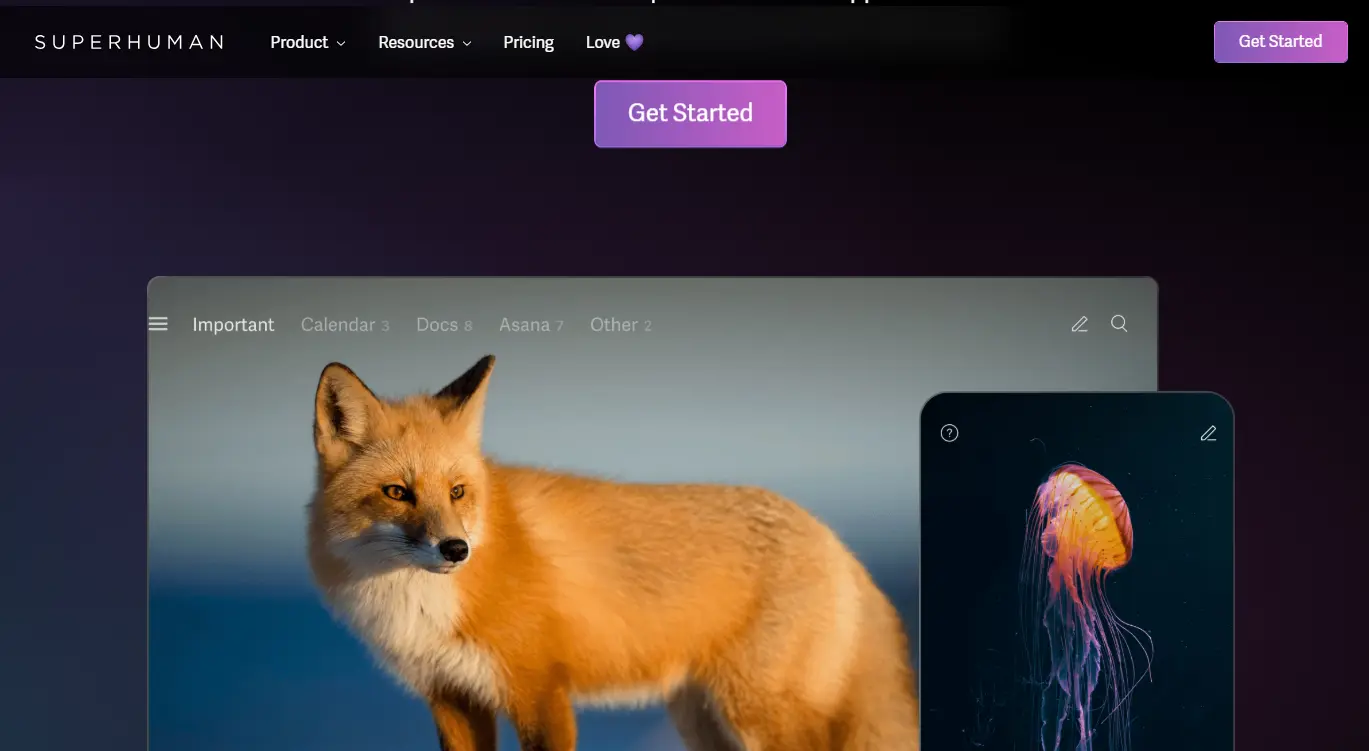
Superhuman is built for people who handle hundreds of emails a day. Almost everything has a keyboard shortcut, the split inbox separates important mail from the rest, and AI helps with triage and drafting.
- Who it's for: heavy email users, usually with a company paying
- Price: Starter from $25 per user/month and Business $33 per user/month, both billed yearly; no free plan
- Platforms: Mac, Windows, iPhone, iPad, Android and web (Android and Windows for Gmail accounts)
- Standout features: keyboard shortcuts for everything, split inbox, AI drafting, read statuses
- iPhone rating: 4.6 on the US App Store (3,702 ratings), as of October 16, 2026
- Downside: it only works with Gmail and Outlook accounts, it has no unified inbox across accounts, and it is by far the most expensive option here. See Superhuman alternatives.
9. Airmail: Best for customizing every action

Airmail has been an Apple-only mail app for a decade and lets you change almost everything: swipe actions, toolbar buttons, smart folders, and actions that send a message to apps such as Things or OmniFocus. It supports Gmail and Google Workspace alongside iCloud, Exchange and IMAP.
- Who it's for: Mac and iPhone users who like to tune their tools
- Price: free with Pro features locked; Pro $7.99/month, or $39.99/year on iPhone and $49.99/year on the Mac App Store
- Platforms: Mac, iPhone, iPad, Apple Watch, Vision Pro
- Standout features: custom actions, smart folders, app integrations
- iPhone rating: 4.3 on the US App Store (4,431 ratings), as of October 16, 2026
- Downside: the number of settings is a lot if you just want a calm inbox, and it is Apple-only.
10. Thunderbird: Best free, open-source option

Thunderbird is free, open source and very configurable: filters, tags, saved searches, a calendar, add-ons and built-in OpenPGP. Gmail works over IMAP, so labels appear as folders.
- Who it's for: people who want free and open source and don't mind a less Mac-like app
- Price: free (funded by donations)
- Platforms: Mac, Windows, Linux, Android; iPhone/iPad: public TestFlight beta (not on the App Store)
- Standout features: filters, tags, OpenPGP, calendar, add-ons
- Downside: it looks and feels the least like a Mac app of anything here, and until the iPhone app ships you need a different app on your phone.
Also worth a look
- MailMate: a keyboard-driven IMAP app for power users, with very precise search and Markdown writing; plain-looking and Mac-only.
- Mailbird for Mac: best if you already use Mailbird on a Windows PC; the free plan is limited to one account.
The best Gmail app for iPhone
On iPhone the choice is easier, because Google does make an app. For most people it is the right one.
- Gmail (Google): free, with Gmail's categories, labels, search and Gemini features on eligible plans. It can also add Outlook, Yahoo and other accounts over IMAP, which Google now recommends as the replacement for Gmailify.
- Apple Mail: free and already installed; good if you also use iCloud and want one simple inbox.
- Canary Mail (ours): the same app and settings as on your Mac, with read receipts, PGP and AI.
- Spark and Outlook: both free and good with several accounts.
- Superhuman: if you already pay for it on the Mac.
For the full iPhone comparison, including apps that aren't built around Gmail, see our guide to the best email apps for iPhone.
Gmail is ending Gmailify and POP in 2026
If you use Gmail on the web to read another account, this affects you. Google is removing Gmailify and the "Check mail from other accounts" (POP) option from Gmail on computers: new users lost access after the first quarter of 2026, and existing users keep it until January 2027. Mail that was already imported stays in Gmail.
Google's suggested replacements are the Gmail mobile app, which connects to other accounts over IMAP, or forwarding your other address into Gmail. On a Mac, the practical answer is an app that shows Gmail and your other accounts side by side, which is what most of the apps above do.
Which Gmail app should you pick?
- You only use Gmail and like its interface: install it as a web app from Safari or Chrome.
- You only use Gmail and want a real Mac app: Mimestream.
- Gmail plus other accounts, on Mac and iPhone: Canary Mail, Spark or Apple Mail.
- You want AI to sort your mail on every device: Dove.
- You also have a Microsoft 365 work account: Outlook.
- Speed matters more than price: Superhuman.
- You want free and open source: Thunderbird.
Still deciding whether to leave Apple Mail? Our guide to Apple Mail alternatives looks at the same apps from that side.
FAQ
Is there an official Gmail app for Mac?
No. Google makes Gmail apps for iPhone, iPad and Android, but not for macOS. You can install Gmail as a web app from Safari (File > Add to Dock) or Chrome (Install page as app), or use a Mac email app such as Mimestream, Apple Mail or Canary Mail.
What is the best free Gmail app for Mac?
Gmail installed as a Safari or Chrome web app if you only use Gmail, and Apple Mail if you have other accounts too. Canary Mail, Spark, Outlook and Thunderbird also have free plans; Spark's free plan has only limited AI and Outlook's shows ads.
Is it better to use Gmail in Safari or Chrome on a Mac?
Both can install Gmail as a web app with its own window. Choose Chrome if you want Gmail offline, because Gmail only supports offline mode in Chrome. Safari's web apps keep their own cookies and work well if you prefer Safari.
Does Gmail work offline on a Mac?
In Chrome, yes: turn on offline mail in Gmail's settings and it keeps recent messages on your Mac. Native apps such as Apple Mail, Mimestream, Canary Mail and Thunderbird store your mail locally and work offline without extra setup.
Can Mac email apps use Gmail labels?
Mimestream and Canary Mail work with real Gmail labels. Apple Mail and Thunderbird connect over IMAP, where labels appear as folders, so a message with two labels shows up in two places.
What is the best Gmail app for multiple Gmail accounts?
Mimestream if every account is Gmail. If you also have iCloud, Outlook or work accounts, Canary Mail, Spark or Apple Mail put them in one unified inbox.
What happened to Notion Mail?
Notion closed Notion Mail on September 22, 2026. Your mail stayed in Gmail, but anything created only inside Notion Mail, such as its auto-label rules, is gone. Any Gmail app in this list works with the same Gmail account.
How we chose
We make Canary Mail (#1) and Dove (#5), so read those picks with that in mind. The rest are the apps that come up most on the top-ranking Gmail-for-Mac guides, plus the two free web-app routes Google's and Apple's own tools make possible. For each, we checked how it connects to Gmail, whether it handles other providers, whether there's an iPhone app, and the current price on the vendor's own pricing, help or App Store page on September 28, 2026. Prices are US list prices and change often.
Sources
Checked September 28, 2026.
- Apple: Safari web apps on Mac (support.apple.com/104996)
- Google: Gmail offline (support.google.com/mail/answer/1306849); Gmailify and POP changes (support.google.com/mail/answer/16604719)
- Microsoft: syncing accounts to the Microsoft Cloud in Outlook for Mac (support.microsoft.com)
- Canary Mail: canarymail.io/pricing; Gmail labels on macOS (canarymail.io/help/gmail-labels-macos)
- Mimestream: mimestream.com, mimestream.com/pricing
- Dove: dove.email/pricing
- Spark: sparkmailapp.com/pricing
- Superhuman: superhuman.com/plans/mail; help.superhuman.com (Download Superhuman Mail)
- Airmail: App Store listing (Airmail 5)
- Thunderbird for iOS: blog.thunderbird.net (Mobile Progress Report, July 2026)
- Notion Mail closure: TechCrunch, June 25, 2026
- App Store and Google Play ratings: each app's US store listing, checked October 16, 2026