Disclosure: we make Canary Mail. We've tried to compare it with Gmail as fairly as we would two products we don't make, and we say where Gmail is the better choice. Google's features and prices were checked on Google's own help and plan pages in October 2026.
Short answer: you don't have to give up Gmail to use Canary. Gmail is an email service and Canary Mail is an app that opens your Gmail account (and your other accounts) in one inbox. Stick with Gmail's own web and mobile apps if you live in one Google account and want Gemini, which is free in the US for writing help, thread summaries and suggested replies. Pick Canary if you juggle Gmail with Outlook, iCloud or Exchange, want a desktop app for Mac or Windows, or want read receipts and PGP on a personal Gmail address. Canary is free to start; paid plans are $36 or $100 a year.
Canary Mail vs Gmail at a glance
| Gmail (web and apps) | Canary Mail | |
|---|---|---|
| What it is | Email service with its own web and mobile apps | Email app for your existing accounts |
| Price | Free (15 GB); Google AI Plus $4.99/month; Google AI Pro $19.99/month; Workspace from $7/user/month | Free; Growth $36/year; Pro+ $100/year; lifetime $100 or $300 |
| Apps | Web; iPhone, iPad and Android apps; no Mac or Windows app | Mac, iPhone, iPad, Windows, Android |
| Other accounts | Up to 5 in the mobile apps; no longer on the web | Unlimited: Outlook, iCloud, Yahoo, Exchange, IMAP |
| AI | Gemini, for Google accounts only | AI sorting (free); AI writing and summaries on every account (Growth) |
| Read receipts | Work or school accounts only | Basic on free; full on Growth, any account |
| Encryption | TLS; S/MIME on work or school accounts | PGP and SecureSend (Pro+) |
| Ads | In Promotions and Social on personal accounts | Doesn't use your email for ads |
Do you need to leave Gmail to use Canary Mail?
No. Canary is an email client, not an email provider. You sign in with Google, your mail stays on Google's servers, and your labels sync like they would in any other mail app. You keep your @gmail.com or Workspace address, your storage and your filters. What changes is the app you read and write mail in.
That matters more than it used to. Google doesn't make a Gmail app for Mac or Windows, so on a computer Gmail means a browser tab. And Gmail on the web can no longer add or sync other email accounts; from January 2027 Google also ends sending as a third-party address and fetching mail from other accounts by POP. The Gmail mobile apps keep letting you add Outlook, iCloud, Yahoo and IMAP addresses.
AI: Canary Mail vs Gemini in Gmail
The two take different approaches. Gemini is AI built into one provider: it works on Google accounts, in Gmail and across Google's other apps. Canary's AI is built into the email app, so it works on every account you add, Google or not.
Gemini in Gmail. If you have a personal Google account in the US and are 18 or over, Help me write, AI Overviews of long threads and suggested replies are free. Outside the US, or for more, you need a Google AI plan: AI Plus ($4.99 a month) brings features such as Proofread, the AI Inbox overview of your priorities and Gemini in the side panel; AI Pro ($19.99 a month) adds AI answers above Gmail search results and Help me schedule. Work accounts get Gemini in Gmail from Google Workspace Business Starter ($7 per user a month on an annual plan). The same plans add Gemini to Docs, Drive and Google's other apps, which is a real plus if your work lives there.
Canary's AI. Canary sorts incoming mail with AI on every plan, including free, and that triage runs on your device. The Growth plan ($36 a year) adds AI that drafts replies, rewrites and summarizes threads, and it works the same on your Gmail, a work Exchange account or an iCloud address. You can turn the AI features off, and your email isn't used to train AI.
Verdict: Gemini if you use one Google account and want AI that also reaches Docs and Drive; Canary Mail if you want the same AI across several accounts and providers.
Multiple accounts and a unified inbox
The Gmail app for iPhone, iPad and Android can add up to five other addresses, including Outlook, iCloud Mail and Yahoo, and shows them together under All inboxes. On a computer you're down to one Google account per browser tab, since the web version no longer pulls in other providers.
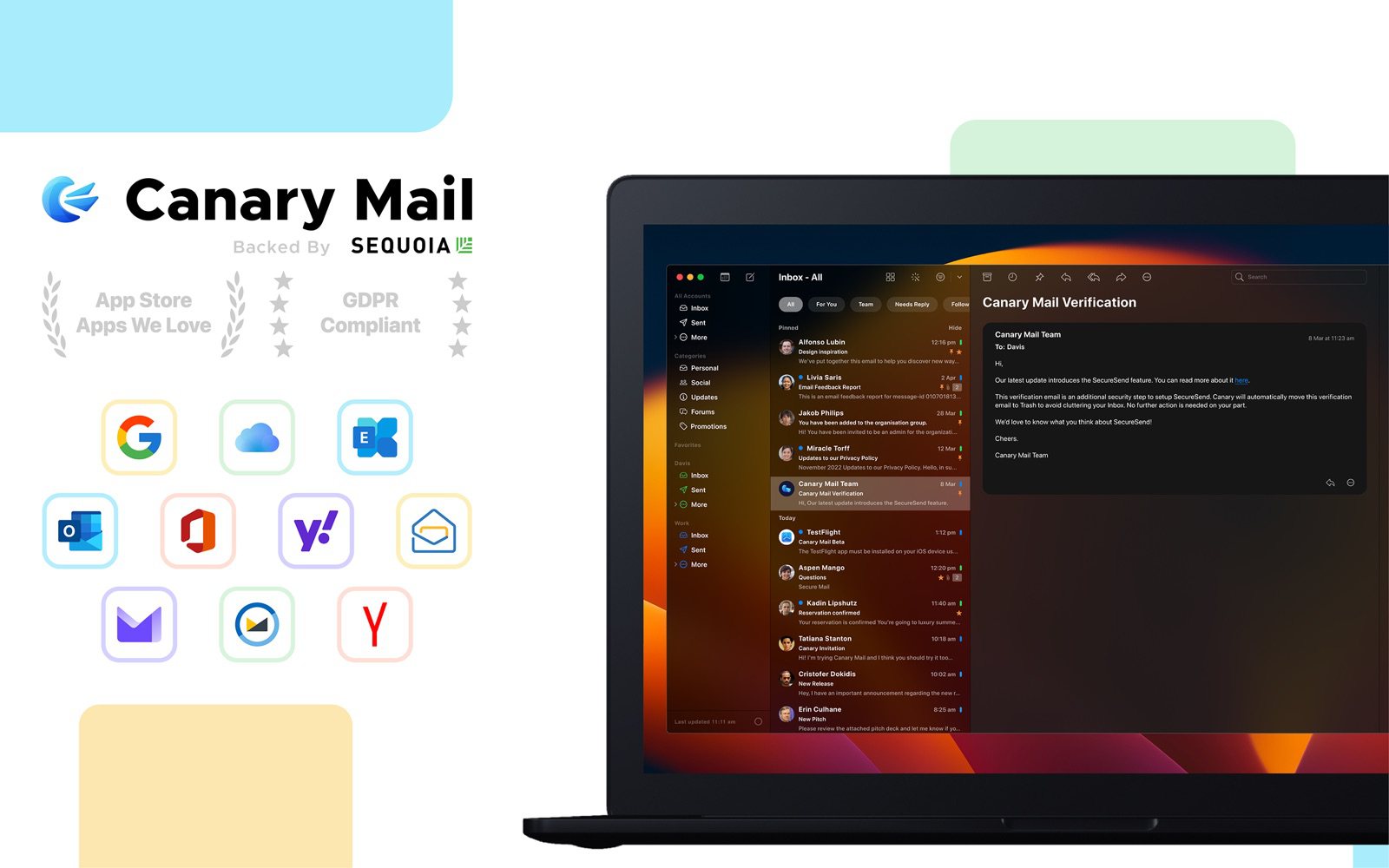
Canary handles unlimited accounts on the free plan (on two devices) and puts them in one unified inbox on Mac, iPhone, iPad, Windows and Android, with snooze, pinned emails, templates and one-click unsubscribe. If you're juggling a personal Gmail, a work Outlook and an iCloud address, this is the biggest practical difference. See our guide to the best email apps for multiple accounts.
Verdict: Canary Mail for several accounts, especially on a computer; Gmail's app is fine on a phone for up to five.
Privacy and security
Google says it doesn't scan or read your Gmail messages to show you ads, but personal accounts do see ads in the Promotions and Social tabs, and Gmail uses your mail for smart features like categories, Smart Compose and spam filtering (you can turn smart features off). All Gmail messages travel over TLS. S/MIME encryption is only for work or school accounts, and confidential mode limits forwarding and sets expiry dates but isn't encryption.
Canary blocks tracking pixels by default, doesn't use your email content for advertising, and doesn't use it to train AI. Its Pro+ plan ($100 a year) adds PGP, SecureSend for encrypted mail to people who don't use PGP, and phishing and impersonation detection, and it works on a personal Gmail address. More in our guide to a secure Gmail app for Mac.
Verdict: Canary Mail for tracker blocking and encryption on a personal account; Google's server-side security is strong either way.
Read receipts
Gmail's read receipts work only for work or school accounts, and the recipient may need to approve them; they don't work on @gmail.com addresses. Canary includes basic read receipts on its free plan and full read receipts on Growth, on any account. Our guide explains how to tell if someone read your email in Gmail.
Verdict: Canary Mail, unless your company already gives you Gmail read receipts.
Canary Mail pricing vs Gmail pricing (2026)
| Plan | What you get | Price |
|---|---|---|
| Canary Free | Unlimited accounts on 2 devices, AI inbox sorting, basic read receipts, snooze, templates | $0 |
| Canary Growth | AI writing and summaries, read receipts, send later, calendar, 5 devices | $36/year or $100 once |
| Canary Pro+ | Everything in Growth plus PGP, SecureSend, phishing and impersonation detection | $100/year or $300 once |
| Gmail | 15 GB shared with Drive and Photos; free Gemini basics in the US | $0 |
| Google AI Plus | 400 GB, more Gemini in Gmail | $4.99/month |
| Google AI Pro | 5 TB, the full set of Gemini in Gmail features | $19.99/month |
| Google Workspace Business Starter | Gmail on your own domain with Gemini | $7/user/month yearly or $8.40 monthly |
Canary's paid plans are yearly or lifetime only; there's no monthly plan. The 7-day trial needs no credit card, and if you don't upgrade you drop to the free plan. One licence covers all platforms. Canary doesn't replace a Google plan: your storage still comes from Google.
Verdict: Gmail if free is the goal; Canary Growth costs less than a year of Google AI Plus if what you want is AI writing across all your accounts.
Which should you choose?
- Stay with Gmail's own apps if you use one Google account, live in Docs and Drive, and Gemini's free features (or a Google AI plan) cover what you need.
- Use Canary Mail with your Gmail if you have accounts with several providers, want a real desktop app on Mac or Windows, or want read receipts, tracker blocking and PGP on a personal address.
Want to leave Gmail altogether? Our Gmail alternatives with AI and privacy guide covers other providers. For apps, see the best Gmail app for Mac and iPhone, Apple Mail vs Gmail and our Canary Mail review.
Frequently asked questions
Can I use Canary Mail with my Gmail account?
Yes. Canary signs in to your existing Gmail or Google Workspace account, so you keep your address and your mail stays with Google.
Can I use Canary's AI with my work Gmail?
Yes. Canary supports Google Workspace accounts, and its AI writing and summaries work on them like on any other account.
Is Gemini in Gmail free?
Partly. Personal Google accounts in the US get Help me write, AI Overviews of threads and suggested replies at no charge. Other features, and use outside the US, need Google AI Plus ($4.99 a month), AI Pro ($19.99) or a Workspace plan.
Is Gemini available in Apple Mail or other mail apps?
Gemini in Gmail works in Gmail on the web and in Google's Gmail apps. Apple Mail uses Apple Intelligence instead, and Canary Mail has its own AI that works on every account you add.
Does Canary Mail train its AI on my email?
No. Canary doesn't use your email to train AI, and its inbox triage runs on your device.
Does Canary Mail work with Outlook and Exchange?
Yes. Canary works with Gmail, Outlook, iCloud, Yahoo, Exchange and any IMAP account, and its AI works on all of them.
How much does Canary Mail cost?
The free plan costs nothing. Growth is $36 a year and Pro+ is $100 a year, or $100 and $300 as one-time lifetime purchases, with a 7-day free trial.
Sources
- Google: Gemini in Gmail features and eligibility
- Google AI plans and prices (US)
- Google Workspace: flexible and annual plan prices
- Google: changes to third-party accounts in Gmail
- Google: add other email accounts to the Gmail app
- Google: Gmail read receipts
- Google: Gmail encryption
- Google: ads in Gmail
- Canary Mail pricing