Disclosure: we make Canary Mail, a different email app that we mention near the end. We compared Apple Mail and Mimestream as we would any two apps we don't make. Prices and features were checked on Apple's and Mimestream's own sites on October 16, 2026.
Short answer: if all your mail is in Gmail or Google Workspace and you work on a Mac, Mimestream is the better Gmail app: labels, categories, filters and search behave exactly as they do in Gmail. It costs $49.99 a year after a 14-day trial. If you also use iCloud, Outlook or Yahoo, want the same app on your iPhone today, or don't want to pay, stay with Apple Mail.
Apple Mail vs Mimestream at a glance
| Apple Mail | Mimestream | |
|---|---|---|
| Price | Free, built into macOS | $4.99/month or $49.99/year after a 14-day trial |
| Accounts | iCloud, Gmail, Exchange, Yahoo, any IMAP or POP account | Gmail and Google Workspace only |
| How it talks to Gmail | IMAP, like most email apps | The Gmail API |
| Platforms | Mac, iPhone, iPad, Apple Vision Pro | Mac only; iPhone and iPad app in TestFlight beta |
| Gmail labels, categories, filters | Labels appear as folders; Apple's own categories | Full labels, Gmail categories, server-side filters |
| AI | Apple Intelligence on Apple silicon Macs | Apple Writing Tools; no AI of its own |
| Privacy | Mail Privacy Protection | Data and tokens stay on your Mac; tracker blocking |
| Encryption | S/MIME | None beyond Gmail's own |
| macOS needed | Comes with macOS | macOS 12 or newer (future updates: macOS 14) |
What is Mimestream?
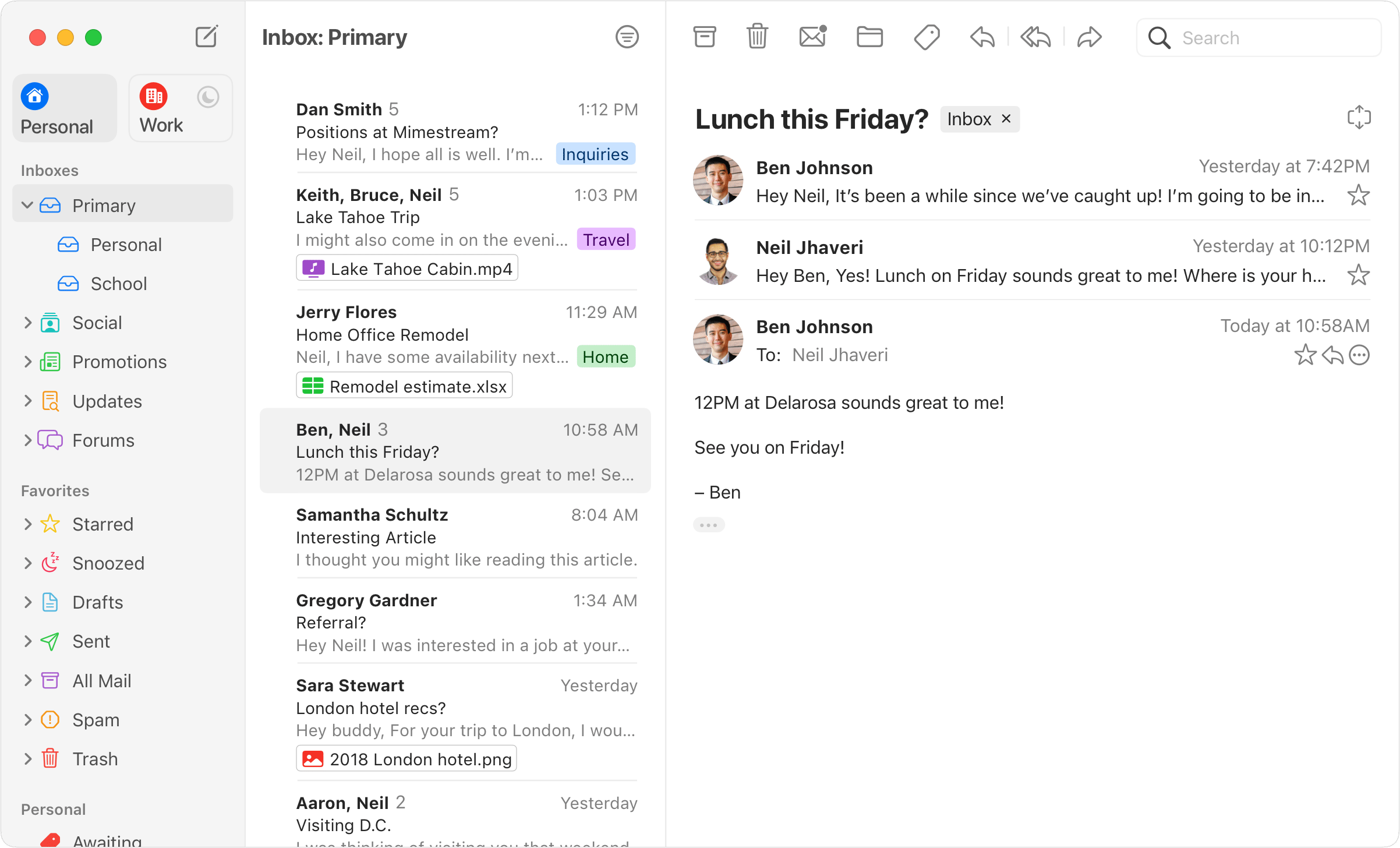
Mimestream is a paid email app for the Mac that only works with Gmail. It was founded in 2019 by Neil Jhaveri, who spent seven and a half years at Apple leading teams that worked on Mail and Notes, and it shows: the app looks like Apple Mail and behaves like a native Mac app. The difference is underneath. Instead of IMAP, the protocol almost every email app uses, Mimestream connects to Google through the Gmail API. That gives it access to the things that make Gmail Gmail: labels with their colors, the Primary, Promotions and Social categories, server-side filters, aliases, vacation replies and Gmail's own search.
Apple Mail needs no introduction. It comes with every Mac, handles almost any email account, and syncs with iCloud, Contacts and Calendar across your Apple devices.
How each app handles Gmail
This is the whole case for Mimestream. Apple Mail reaches Gmail over IMAP, so your labels show up as folders and an email with three labels appears in three places. Apple Mail sorts mail into its own categories (Primary, Transactions, Updates and Promotions), which are worked out on your device and don't match the tabs you see in Gmail on the web. Rules you make in Apple Mail run in Apple Mail, not on Google's servers.
Mimestream keeps Gmail's model intact. You see the same categories as in Gmail, you can create and edit the server-side filters that sort your mail on every device, labels keep their colors and visibility settings, and search runs on Gmail's servers, so it finds what Gmail would find. If you move between Gmail in a browser, Gmail on your phone and your Mac all day, nothing gets out of step.
Verdict: Mimestream, clearly, if Gmail is where you live.
Accounts and platforms
Apple Mail takes iCloud, Gmail, Exchange, Yahoo, school or work accounts and any other IMAP or POP account, all in one unified inbox, and the same app is on your iPhone and iPad. Mimestream is Gmail and Google Workspace only, with no Outlook, iCloud or IMAP support, and it runs only on the Mac.
An iPhone and iPad version is on the way. Since July 2026, Mimestream customers with an annual plan (or a monthly plan paid for at least six months) can join a TestFlight beta on iOS 26 or later, while places last. Mimestream says it's in the final stretch before the App Store but hasn't given a date. There is no Windows, Android or web version.
Verdict: Apple Mail. It covers every account and every Apple device today.
AI and writing
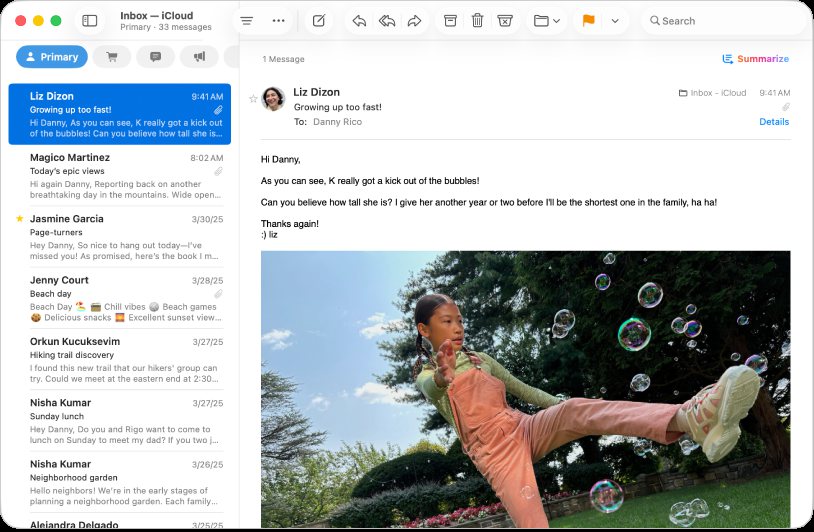
Apple Mail has Apple Intelligence built in on Macs with Apple silicon: Writing Tools to rewrite and proofread, email summaries, Smart Reply and Priority Messages at the top of the inbox. macOS 27 adds personalized writing that matches how you write to different people, and search that looks for what you mean, not just the words you typed. You need an Apple silicon Mac and a supported language.
Mimestream has no AI model of its own. It supports Apple's Writing Tools in the compose window, so you get the same rewrite and proofread options on a supported Mac. Its writing tools are practical ones: templates with fill-in variables, Markdown and code blocks, mentions, Send and Archive in one step, and Undo Send with Command-Z.
Verdict: Apple Mail for AI. Mimestream for fast, keyboard-driven writing.
Organizing your inbox
Apple Mail has Send Later, Undo Send (10 seconds by default), Follow Up suggestions for sent mail that hasn't had a reply, Smart Mailboxes and rules. It's enough for most people.
Mimestream goes further for people with several Google accounts. Profiles keep work and personal accounts apart, with their own notification schedules and Focus filters, and an optional All profile shows everything together. You can set working hours for a work account, assign each account a color, filter the message list to unread or starred, and answer calendar invitations while seeing your own calendar next to them. Snooze exists but is still a Labs feature, and because Google doesn't let other apps use Gmail's snooze, it only shows inside Mimestream.
Verdict: Mimestream, if you juggle several Gmail accounts. Otherwise Apple Mail does the basics well.
Privacy and security
Apple Mail's Mail Privacy Protection hides your IP address and loads remote content privately, so senders can't tell when you opened a message. It supports S/MIME signing and encryption if you install a certificate, but not PGP.
Mimestream stores your mail and sign-in tokens only on your Mac and talks to the Gmail API directly, without a sync server in between. Its newer Private Push service sends fast notifications without ever receiving your Google credentials or seeing message content. It blocks trackers from more than 75 services and has passed Google's Cloud Application Security Assessment (CASA), a security review for apps that access Gmail data. There's no PGP or S/MIME.
Verdict: A tie. Both keep your mail between your Mac and your provider; Apple Mail adds S/MIME.
Price
Apple Mail is free. Mimestream has a fully working 14-day trial with no credit card, then costs $4.99 a month or $49.99 a year. One subscription covers all your Google accounts on up to five devices and can be shared with your immediate family. There is no lifetime license and no free plan, and it's sold directly rather than through the Mac App Store. Annual plans can be refunded within 30 days. Mimestream needs macOS 12 or newer today, and future updates will need macOS 14.
Verdict: Apple Mail, unless the Gmail features are worth about $4 a month to you.
Our Mimestream review: is it worth it?
For a heavy Gmail user on a Mac, yes. Mimestream is the only Mac app that treats Gmail as Gmail rather than as a generic IMAP account, and it's fast and actively developed (version 1.10 arrived in July 2026, with macOS 27 fixes in September). What you give up is flexibility: one provider, one platform until the iPhone app ships, and a subscription with no lifetime option.
- Good: real Gmail labels, categories, filters and search; profiles and working hours for several accounts; native Mac design; mail and tokens stay on your Mac.
- Not so good: Gmail only; no iPhone app outside the beta; no Windows or Android; no AI of its own; $49.99 a year with no free plan.
Which should you choose?
- Choose Mimestream if your mail is all in Gmail or Google Workspace, you rely on labels and filters, and you spend your day on a Mac.
- Choose Apple Mail if you have accounts with other providers, want the same app on your iPhone now, want Apple Intelligence, or don't want another subscription.
For more options, see our best Gmail apps for Mac and iPhone and the best email clients for Mac.
If you need more than Gmail on a Mac
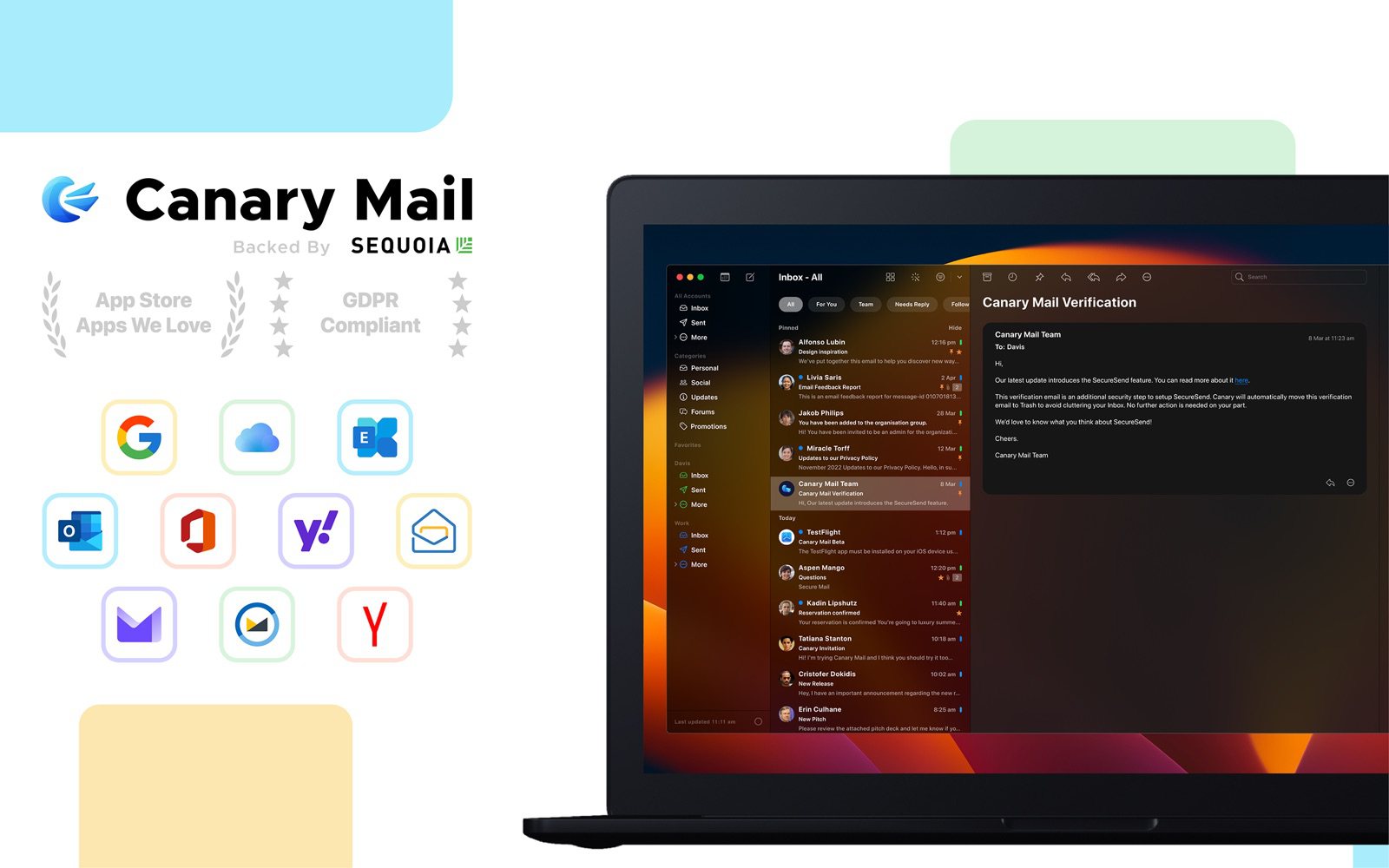
Disclosure: we make Canary Mail. If Mimestream's Gmail-only, Mac-only limits rule it out but Apple Mail feels too basic, Canary Mail sits between them. It works with Gmail, Outlook, iCloud, Yahoo, Exchange and IMAP accounts on Mac, iPhone, iPad, Windows and Android. The free plan covers unlimited accounts on two devices with AI inbox sorting; Growth ($36 a year) adds AI writing and summaries, read receipts and send later, and Pro+ adds PGP encryption. If Gmail's labels, filters and categories are what you love about Mimestream, though, Mimestream is still the more Gmail-like app. See our Canary Mail vs Mimestream comparison or the full list of Mimestream alternatives.
Frequently asked questions
Is Mimestream free?
No. It has a 14-day free trial with no credit card needed, then costs $4.99 a month or $49.99 a year. There's no free plan, and the app stops working when a subscription ends.
What is the difference between Apple Mail and Mimestream?
Apple Mail is free and works with almost any email account on Mac, iPhone and iPad. Mimestream is a paid Mac app for Gmail only that uses the Gmail API, so labels, categories, filters and search work as they do in Gmail.
Is Mimestream available for iPhone and iPad?
Not on the App Store yet. Mimestream for iOS is in a TestFlight beta, open since July 2026 to customers with an annual plan or six months of a monthly plan, and it needs iOS 26 or later. No release date has been announced.
Is Mimestream safe?
Mimestream stores your mail and sign-in tokens on your Mac, connects to Gmail directly and has passed Google's CASA security assessment. Its push service never receives your Google credentials.
Does Mimestream work with Outlook or iCloud?
No. It supports Gmail and Google Workspace accounts only. For other providers, use Apple Mail or another app from our list of Mimestream alternatives.
Is there Mimestream for Windows?
No. Mimestream is Mac only, and there is no Windows, Android or web version. Spark, Superhuman and Canary Mail have Windows apps.
Is Apple Mail good for Gmail?
It's fine for reading and sending. Gmail works over IMAP, so labels appear as folders, Gmail's categories and server filters aren't shown, and Apple Mail's own categories and rules apply instead.
Sources
- Mimestream: home page and feature list
- Mimestream pricing and FAQ
- About Mimestream
- Mimestream: iOS TestFlight access
- Mimestream 1.10 release (Private Push)
- Mimestream: future updates will require macOS 14
- Mimestream is CASA verified
- Apple Mail User Guide: Automatically sort incoming emails
- Apple Mail User Guide: What's new in Mail (macOS 27)
- Apple: Apple Intelligence requirements
- Apple Mail User Guide: Protect your privacy in Mail
- Apple: Use S/MIME with Apple email clients
- Apple Mail User Guide: Schedule and undo emails
- Google: Add Gmail to another email client
- Canary Mail pricing