Works with Gmail, Outlook, iCloud, IMAP, and Exchange.
Available on macOS, Windows, iPhone, iPad, and Android.
AI in Canary Mail is optional.
Built for a privacy-aware workflow.
A follow-up works better when it is based on signal, not assumptions. With read receipts, Canary Mail gives you that visibility.
Read receipts help you make better decisions before you follow up. Whether you are managing a proposal, a client reply, or a hiring conversation, knowing whether an email was opened changes your next move.
Better timing for follow-up.
More confidence in important conversations.
Fewer missed opportunities.
Less tool switching.
Stronger workflow across busy inboxes.


Knowing when clients open my emails gives me more confidence in follow-up, especially when I am also managing secure communication and multiple inboxes.
- Account Manager
Canary Mail supports read receipts as part of a cross-platform email workflow, so you do not have to think of them as a desktop-only or mobile-only feature.
Canary Mail is an email client, not an email provider. It works with the accounts you already use and adds stronger workflow features on top.
Gmail
Outlook
Microsoft Exchange
iCloud Mail
IMAP Providers
Works with your existing accounts
Read receipts are most useful when they sit inside a product that already helps you manage real inboxes across real devices.
.svg)
One workflow across multiple accounts and providers.
Available across Mac, iPhone, iPad, Windows, and Android.
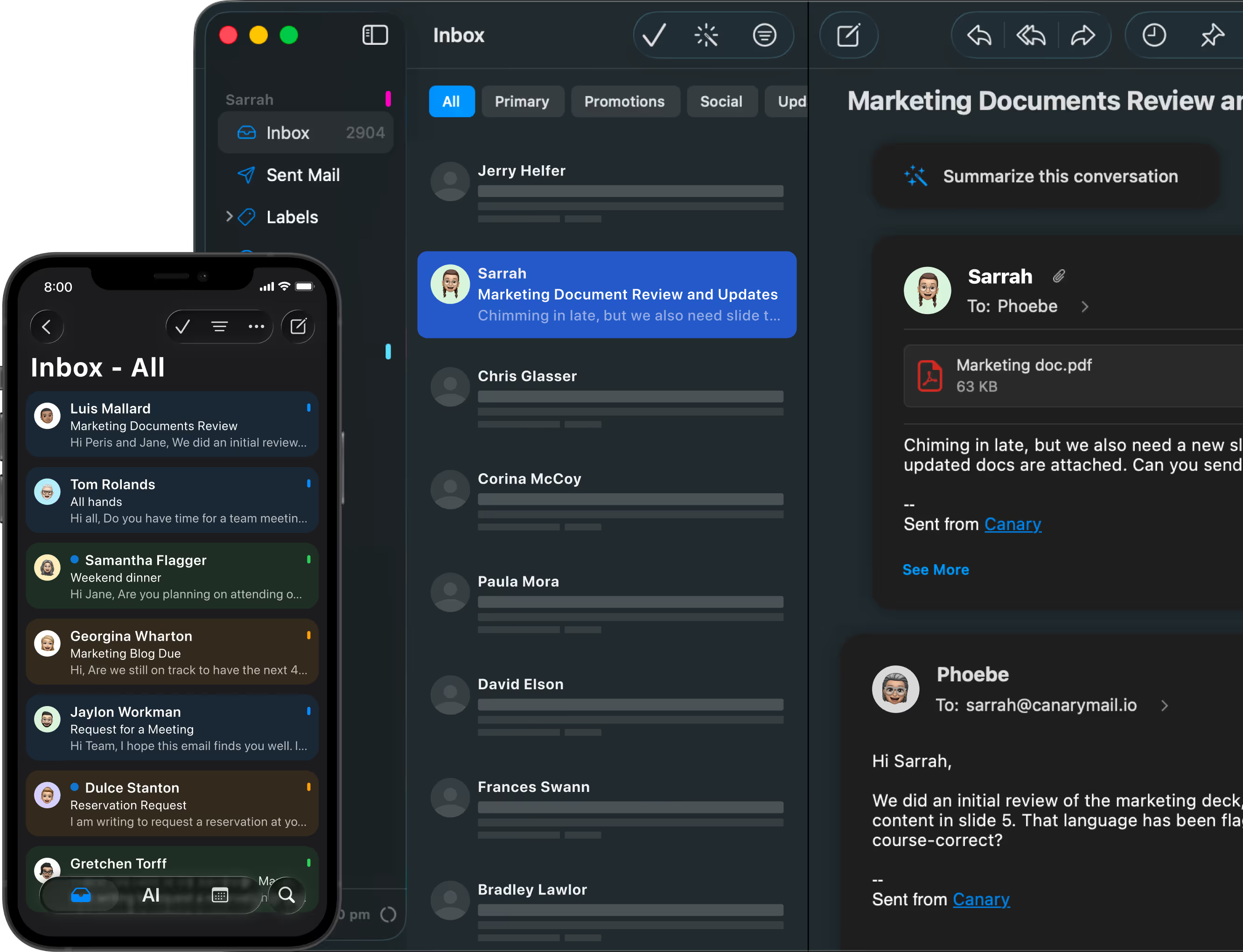
Familiar Apple Mail experience with stronger workflow tools.
AI is optional - use it only when it helps.
Read receipts built in - no separate tracking tool needed.
Canary Mail is a stronger fit for people who like the simplicity of Apple Mail but need better visibility, more workflow control, and support across more devices.
No native user-facing read receipts.
Limited follow-up visibility.
Basic multi-account workflow.
Designed primarily for the Apple device ecosystem.
Works with Gmail, iCloud, and IMAP via account setup only.
Limited AI options.
Basic privacy workflow.
User-facing read receipts built in.
Stronger follow-up visibility.
Stronger multi-account workflow.
Available on macOS, Windows, iPhone, iPad, and Android.
Works with Gmail, Outlook, iCloud, IMAP, and Exchange.
AI is optional - use it only when it helps.
Built for a privacy-aware workflow.
Know when emails are opened without compromising the privacy of your workflow.
Manage read receipts across all your inboxes in one place - no tool switching required.
Track when emails are opened and time your follow-ups without chasing blind replies.
Follow up on proposals with confidence knowing whether your email was seen.
Clearer visibility into important communications inside a security-first, privacy-aware email client.
Familiar Mac experience with workflow tools and read receipt visibility across every device.
Know when proposals are opened and follow up at the right moment - not based on guesswork.

Yes. Canary Mail includes built-in read receipts on macOS, Windows, iPhone, iPad, and Android. The feature works consistently across all platforms and syncs automatically across your devices. Learn more: Cross-Device Sync and Licensing in Canary Mail
Yes. Canary Mail's read receipts work with Gmail, Outlook, iCloud, Exchange, and any IMAP-compatible email account. No need to switch providers - just connect your existing accounts. Read receipts are triggered when your recipient opens the email and their mail client loads images.
No. Apple Mail does not offer native read receipts on Mac or iPhone. Many professionals switch to Canary Mail for this feature, along with unified inbox, encryption, and AI-powered email features. Learn more: How to Use Read Receipts on Mac and iPhone
Yes. Read receipts are enabled by default in Canary Mail. You can enable or disable them anytime from Settings > Composing > Read Receipts.
Yes. One of the advantages of Canary Mail is that read receipts live inside a broader multi-account workflow, so the feature is more useful for people managing personal, work, and client inboxes together. Learn more: How to Use Read Receipts on Mac and iPhone
Canary Mail offers detailed help documentation for read receipts:
For platform-specific guides, visit the Help Center and select your device.
Last updated: April 28, 2026




.svg)


.svg)