Short answer: the closest like-for-like Proton Mail alternative is Tuta: end-to-end encrypted, based in Germany, with a free plan and cheaper paid plans. For an inexpensive private mailbox that works in any email app, look at Posteo or Mailbox.org. Fastmail has the best apps and search, but no end-to-end encryption. If you don't want a new address at all, keep the one you have and add encryption in the app instead, which is what Canary Mail (our app) does.
Disclosure: we make Canary Mail. It isn't an email service, so it isn't ranked against the providers below; it has its own section for people who want to keep their current address. Prices and features were checked on each provider's own site on September 28, 2026.
First, decide what you're replacing
Proton Mail is two things at once: an email service (your @proton.me address and the servers that store it) and the apps you read it in. Most people searching for an alternative mean one of three things, and the answer is different for each:
- You want a different private email service. You'll get a new address and move your mail. That's the list below.
- You want to keep Proton but use a different app. That only works through Proton Mail Bridge, which is included in paid Proton plans and runs on Mac, Windows and Linux. There is no Bridge for iPhone or Android, so on your phone you're limited to Proton's own app.
- You never had Proton and want privacy without changing address. Keep Gmail, Outlook or iCloud and use a mail app that adds encryption and tracker blocking. See Keep your address, change the app.
Why people leave Proton Mail
Proton is one of the best private email services, and for many people it is the right choice. The reasons people move on are usually practical:
- The free plan is tight: 1 GB of mail storage and 150 messages a day.
- Other apps need a paid plan: Proton Mail Bridge, which lets Apple Mail, Outlook or Thunderbird read your Proton mail, is only for paid plans, and only on desktop. The Proton desktop app is a 14-day trial on the free plan.
- AI costs extra: Proton Scribe, its writing assistant, is a paid add-on unless you're on Duo, Family or Visionary.
- Price: Mail Plus is €4.99 a month, or €3.99 a month billed yearly; Proton Unlimited is €12.99 a month, or €9.99 billed yearly.
Proton Mail alternatives compared
| Service | Based in | End-to-end encryption | Free plan | Paid from | Works in other email apps |
|---|---|---|---|---|---|
| Proton Mail (for reference) | Switzerland | Yes, built in | 1 GB, 150 emails/day | €3.99/month (yearly) | Paid plans, desktop only (Bridge) |
| Tuta | Germany | Yes, including subject lines | 1 GB, personal use | €3/month (yearly) | No |
| Mailbox.org | Germany | Yes, with PGP (Guard) | No (30-day trial) | €1/month | Yes (IMAP) |
| Posteo | Germany | Optional (PGP/S/MIME), plus encrypted storage | No | €1/month | Yes (IMAP) |
| Mailfence | Belgium | Yes, OpenPGP | Yes | €2.50/month | Entry plan and up (IMAP) |
| StartMail | Netherlands | Yes, PGP | No (7-day trial) | $4.99/month | Yes (IMAP) |
| Fastmail | Australia | No, by design | No (30-day trial) | $5/month (yearly) | Yes (IMAP/JMAP) |
| Atomic Mail | Estonia | Yes | Yes | $5/month | Its own apps |
The best Proton Mail alternatives in 2026
1. Tuta: Best overall Proton Mail alternative

Tuta (called Tutanota until 2023) is the closest match to Proton: an end-to-end encrypted service with its own apps, open-source clients and servers in Germany. Tuta says it encrypts more of your mailbox than Proton does, including subject lines, your calendar and your address book, and it already uses post-quantum encryption.
- Who it's for: people who want Proton's model, often for less money
- Price: free for personal use (1 GB, one calendar, three labels); Revolutionary €3/month billed yearly or €3.60 monthly (20 GB, 15 extra addresses, 3 custom domains); Legend €8/month billed yearly or €9.60 monthly (500 GB)
- Apps: web, iPhone, Android (including F-Droid), Windows, Mac and Linux
- Rating: 4.7 on the US App Store (3,738 ratings) and 4.4 on Google Play (18,682 reviews), as of October 16, 2026
- Downside: Tuta doesn't support IMAP and has said it won't build a bridge, so you can only use it in Tuta's own apps. More options are in our list of Tuta alternatives.
2. Mailbox.org: Best for a private all-in-one mailbox

Mailbox.org is a long-running German provider that bundles mail, calendar, contacts, cloud storage and office apps. It works with any email app over IMAP, and its Guard feature adds PGP encryption in the browser.
- Who it's for: people who want a privacy-first replacement for Gmail's whole suite, not just mail
- Price: Light €1/month (billed yearly, 2 GB); Standard €3/month yearly or €4 monthly (20 GB, custom domain); Premium €9/month yearly or €12 monthly (50 GB). No free plan; 30-day free trial
- Apps: web, plus any IMAP email app on desktop or phone
- Downside: end-to-end encryption means setting up PGP rather than it happening automatically, and there's no free plan.
3. Posteo: Best cheap, private mailbox

Posteo costs €1 a month and is built around collecting as little about you as possible: no personal details at sign-up, and you can pay in cash. It can encrypt everything stored in your mailbox, including metadata, and supports PGP and S/MIME. It runs on green energy in a German data center.
- Who it's for: people who want a simple, very private mailbox that works in the apps they already use
- Price: €1/month with 4 GB (up to 75 GB at €0.25 per extra GB) and three aliases
- Apps: webmail, plus any IMAP email app
- Downside: no custom domains (Posteo says supporting them would mean keeping records it doesn't want to hold), and no free plan.
4. Mailfence: Best free alternative with OpenPGP built in

Mailfence is a Belgian service with OpenPGP built into its webmail, including a keystore, so you can send encrypted mail to anyone who has a PGP key. It also includes calendar, contacts and document storage; IMAP access starts on the Entry plan.
- Who it's for: people who want free, standards-based encryption
- Price: free plan available; Base €2.50/month, Entry €3.50/month, Pro €9.50/month
- Apps: webmail, iPhone and Android; IMAP apps from the Entry plan up
- Rating: 3.9 on the US App Store (112 ratings) and 3.4 on Google Play (434 reviews), as of October 16, 2026
- Downside: the web interface feels dated next to Proton or Tuta, and PGP asks more of you than Proton's automatic encryption.
5. StartMail: Best for unlimited aliases
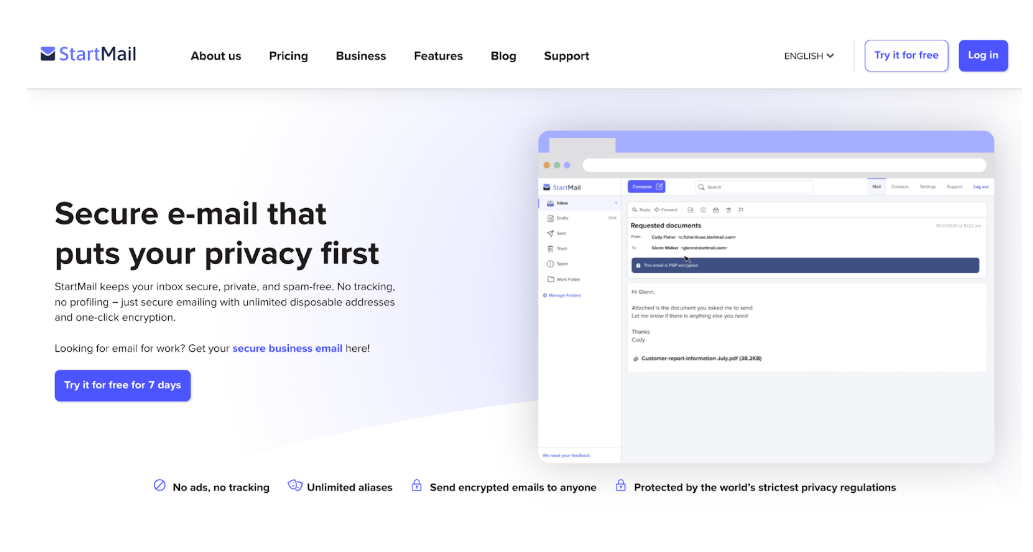
StartMail is a Dutch service from the team behind the Startpage search engine. Its best feature is unlimited aliases, so you can give every site its own address. It supports PGP and password-protected messages for people without PGP.
- Who it's for: people who hand out a different address to every service
- Price: Personal $4.99/month billed yearly ($59.88) or $6.99 monthly (20 GB); Business $6.99/month billed yearly. 7-day trial, card required; no free plan
- Apps: web, iPhone and Android, plus IMAP apps
- Downside: no free plan, and the trial asks for payment details up front.
6. Fastmail: Best for speed and productivity (not end-to-end encrypted)
Fastmail is the pick if what bothers you about Proton is search, speed or the apps. Search is fast, custom domains and aliases are included, and its apps are excellent. It is an independent, subscription-funded company with no ads.
- Who it's for: people who want a private, ad-free Gmail replacement and can live without end-to-end encryption
- Price: Individual $6/month or $5/month billed yearly in the US (60 GB), 30-day free trial; no free plan
- Apps: web, iPhone, Android, plus IMAP/JMAP apps
- Rating: 3.8 on the US App Store (582 ratings) and 3.9 on Google Play (2,585 reviews), as of October 16, 2026
- Downside: Fastmail deliberately doesn't offer end-to-end encryption in its own apps; it encrypts mail in transit and at rest and suggests PGP or S/MIME in a third-party app if you need more. See Fastmail alternatives.
7. Atomic Mail: Best new free option

Atomic Mail is a newer Estonian service with end-to-end and zero-access encryption on its free plan, ten aliases and sign-up without personal data. The Plus plan adds disposable addresses and AI writing tools.
- Who it's for: people who want a free encrypted mailbox and don't mind a young service
- Price: free; Plus from $5/month, 20% less billed yearly
- Apps: web, iPhone, Android, Mac and Windows
- Rating: 4.5 on the US App Store (280 ratings) and 4.2 on Google Play (1,998 reviews), as of October 16, 2026
- Downside: it has a much shorter track record than everything else here, which matters when you're trusting a company with your mail.
Keep your address, change the app
If what you want is privacy rather than a new @address, you don't have to move your mail at all. A mail app can add encryption, tracker blocking and phishing protection on top of the Gmail, Outlook, iCloud or work account you already have. This is also the route for people who like Proton but want its mail in a better desktop app. If it's the Outlook app you want to replace, our roundup of Outlook alternatives covers other apps.
Canary Mail: privacy and encryption for the accounts you already have
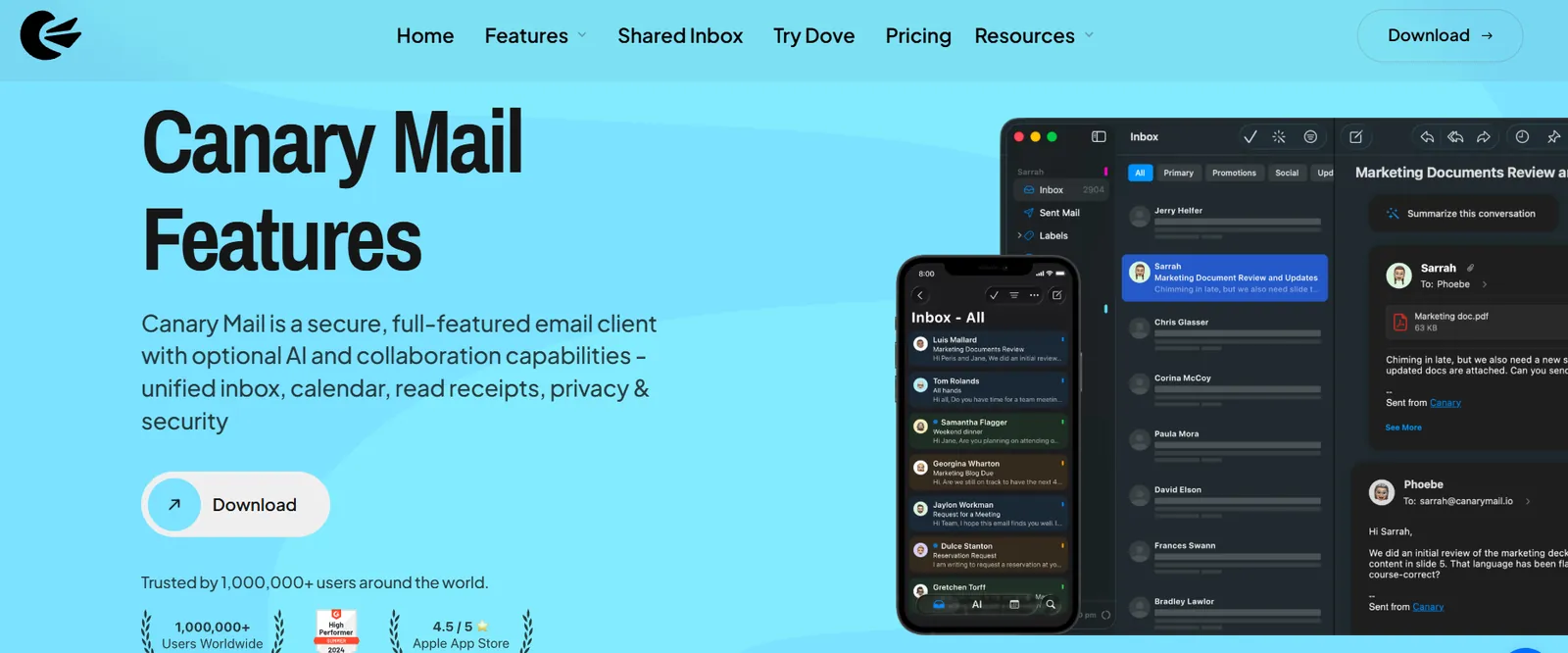
Disclosure: this is our app. Canary is a mail app for Mac, iPhone, iPad, Windows and Android that works with Gmail, Outlook, iCloud, Yahoo and any IMAP account. It blocks tracking pixels, warns about phishing and impersonation, and adds PGP encryption and SecureSend, which sends a password-protected message to people who don't use PGP. It also has an AI assistant for drafting and summarizing. You can add a Proton account on Mac and Windows through Proton Mail Bridge, which needs a paid Proton plan. More than 2 million people use Canary, and Apple has featured it on the App Store and the Mac App Store.
- Who it's for: people who want encryption and privacy tools without changing their email address
- Price: free for unlimited accounts on 2 devices; Growth $36/year; Pro+ $100/year includes PGP, SecureSend and phishing protection. Also sold as lifetime licenses; 7-day trial, no card required
- Apps: Mac, iPhone, iPad, Windows, Android
- Rating: 4.5 on the US App Store (8,786 ratings) and 4.3 on Google Play (7,706 reviews), as of October 16, 2026
- Downside: your provider still stores your mail as it always has, so messages are only end-to-end encrypted when you send them with PGP or SecureSend, and those are on the Pro+ plan. Proton accounts only work on the desktop, through Bridge. We compare the two directly in Canary Mail vs Proton Mail.
Thunderbird is the free alternative: it has OpenPGP built in, works with any IMAP account, and can read Proton mail through Bridge on desktop. It takes more setup, and its iPhone app is only an early public beta on TestFlight. For more choices on a phone, see our pick of the best email apps for iPhone.
What about Proton Mail's AI?
Proton has two AI tools. Proton Scribe is a writing assistant inside Proton Mail that drafts, shortens and proofreads emails; it's included in the Duo, Family and Visionary plans, and a paid add-on (with a 14-day trial) on other paid plans. Lumo is Proton's separate AI chat assistant, with a free tier and a paid Lumo Plus.
Among the services above, Atomic Mail's Plus plan includes AI writing tools. Tuta, Posteo, Mailbox.org, Mailfence and StartMail don't offer AI writing. If AI is the reason you're looking, a mail app with an assistant, such as Canary, works on top of whichever provider you choose.
How to switch from Proton Mail without losing email
- Export your mail. Proton's free Export Tool (for Windows, Mac and Linux) saves all your messages as EML files that most email apps and providers can import. Exporting a single folder as MBOX needs Proton Mail Bridge, which means a paid plan.
- Import into the new service. Most providers above have an import tool; with IMAP services you can also drag messages across in an email app.
- Forward new mail. Set up forwarding from Proton to your new address while people catch up.
- Update your accounts. Change the email address on the services and people that matter, starting with banks and your Apple or Google account.
- Keep Proton for a while. Leave the old account open until you've stopped receiving mail there.
Which Proton Mail alternative should you pick?
- You want the same model as Proton, for less: Tuta.
- You want privacy and to use any email app: Posteo or Mailbox.org.
- You want free encryption with PGP: Mailfence.
- You give every site its own address: StartMail.
- Search and speed matter more than end-to-end encryption: Fastmail.
- You want to keep your current address: Canary Mail or Thunderbird.
For a wider look at encrypted services and apps, see our guide to the best secure email apps.
FAQ
What is the best free alternative to Proton Mail?
Tuta, which has a free plan with 1 GB for personal use and encrypts subject lines, calendar and contacts. Mailfence and Atomic Mail also have free encrypted plans.
What is the most secure Proton Mail alternative?
Tuta encrypts more of your mailbox than most services, including subject lines and calendars, and uses post-quantum encryption. Posteo and Mailbox.org are strong choices if you also want to use standard email apps.
Can I use Proton Mail in Apple Mail, Outlook or another app?
Only on desktop and only with a paid plan, through Proton Mail Bridge. There's no Bridge for iPhone or Android.
Does Tuta work with other email apps?
No. Tuta doesn't support IMAP and has said it won't build a bridge, so you use Tuta's own apps on every device.
Is Fastmail end-to-end encrypted?
No. Fastmail encrypts mail in transit and at rest but deliberately doesn't offer end-to-end encryption in its own apps. You can use PGP or S/MIME in a third-party app.
Proton Mail or Tuta: which is better?
They're close. Tuta is cheaper, encrypts subject lines and has post-quantum encryption; Proton has Bridge for desktop apps, more extra services (VPN, Drive, Pass) and AI tools as add-ons.
What happened to Skiff Mail?
Notion bought Skiff in February 2024 and shut down all Skiff services on August 9, 2024. Notion Mail, built partly on Skiff, closed on September 22, 2026.
How we chose
We included only email services that are real alternatives to Proton, meaning a private mailbox you can move to, and left out spam filters and compliance add-ons that some lists include. For each we checked where it's based, whether and how it encrypts mail, the free plan, the price and whether it works in other email apps, on the provider's own pricing and support pages on September 28, 2026. Canary Mail is our product and is listed separately because it's an app, not a service. Prices change often; euro prices are as shown by the provider.
Sources
Checked September 28, 2026.
- Proton: proton.me/support/proton-plans, proton.me/mail/pricing, proton.me/support/why-you-need-bridge, proton.me/support/proton-mail-export-tool, proton.me/blog/proton-scribe-writing-assistant
- Tuta: tuta.com/pricing, tuta.com/blog/announcement-new-prices, tuta.com/best-protonmail-alternative
- Mailbox.org: mailbox.org/en/prices
- Posteo: posteo.de/en/site/features, posteo.de/en/site/faq
- Mailfence: mailfence.com, blog.mailfence.com (Base plan)
- StartMail: startmail.com/pricing
- Fastmail: fastmail.com/pricing, fastmail.com/blog/why-we-dont-offer-pgp
- Atomic Mail: atomicmail.io/pricing, atomicmail.io/download
- Canary Mail: canarymail.io/pricing, canarymail.io/help/adding-protonmail-in-canary-macos
- Skiff and Notion Mail: TechCrunch (February 9, 2024; June 25, 2026)
- App Store and Google Play ratings: each app's US store listing, checked October 16, 2026