When you decide to take your digital privacy seriously, you usually hit a fork in the road: should you switch to a secure email provider or start using a secure email client?
This choice is often clouded by the misconception that you must abandon your current email address like Gmail, Outlook, iCloud, or Exchange to get professional-grade security. In reality, the best solution depends on whether you want a new mailbox or a better way to manage your existing ones.
The Short Answer: A secure email provider (like Proton or Tuta) is the service that hosts your email and stores your data. A secure email client (like Canary Mail) is the application you use to manage your mail. You can keep your existing provider and simply use a secure cross-platform email client to add a layer of encryption and privacy to your current workflow.
Comparison: Secure Email Provider vs. Secure Email Client
| Feature | Secure Email Provider | Secure Email Client (Canary Mail) |
|---|---|---|
| What it is | A mailbox hosting service. | An application/interface layer. |
| What it changes | Your email hosting and usually your address. | How you manage, encrypt, and view mail. |
| Switch Provider? | Yes, you get a new @provider.com address. | No. Works with your existing accounts. |
| Works with... | Mostly proprietary apps or via bridges. | Gmail, Outlook, iCloud, Exchange, IMAP. |
| Security Layer | Controls storage (Encryption at rest). | Controls transmission (End-to-End Encryption). |
| Best For | Users seeking total host-level isolation. | Professionals & Apple users seeking better workflow. |
| Tradeoffs | Migration friction; limited third-party sync. | Security depends on app config & recipient setup. |
What Is a Secure Email Provider?
A secure email provider is a company that provides the "warehouse" where your emails live. These services are designed with a focus on "encryption at rest," meaning the data is encrypted while it sits on their servers.
While highly secure, the primary tradeoff is identity friction. Moving to a secure provider typically means leaving your long-standing email address behind. Additionally, because these services use proprietary encryption, syncing them with other apps can be complex, often requiring specialized "bridge" software to work on desktop or mobile.
What Is a Secure Email Client?
A secure email client is an application that handles the 'transmission' layer of your email. To better understand what Canary Mail is and how it works with existing email accounts, think of it as an interface that connects to your existing providers, like Gmail, Outlook, or iCloud, to provide an extra layer of privacy."
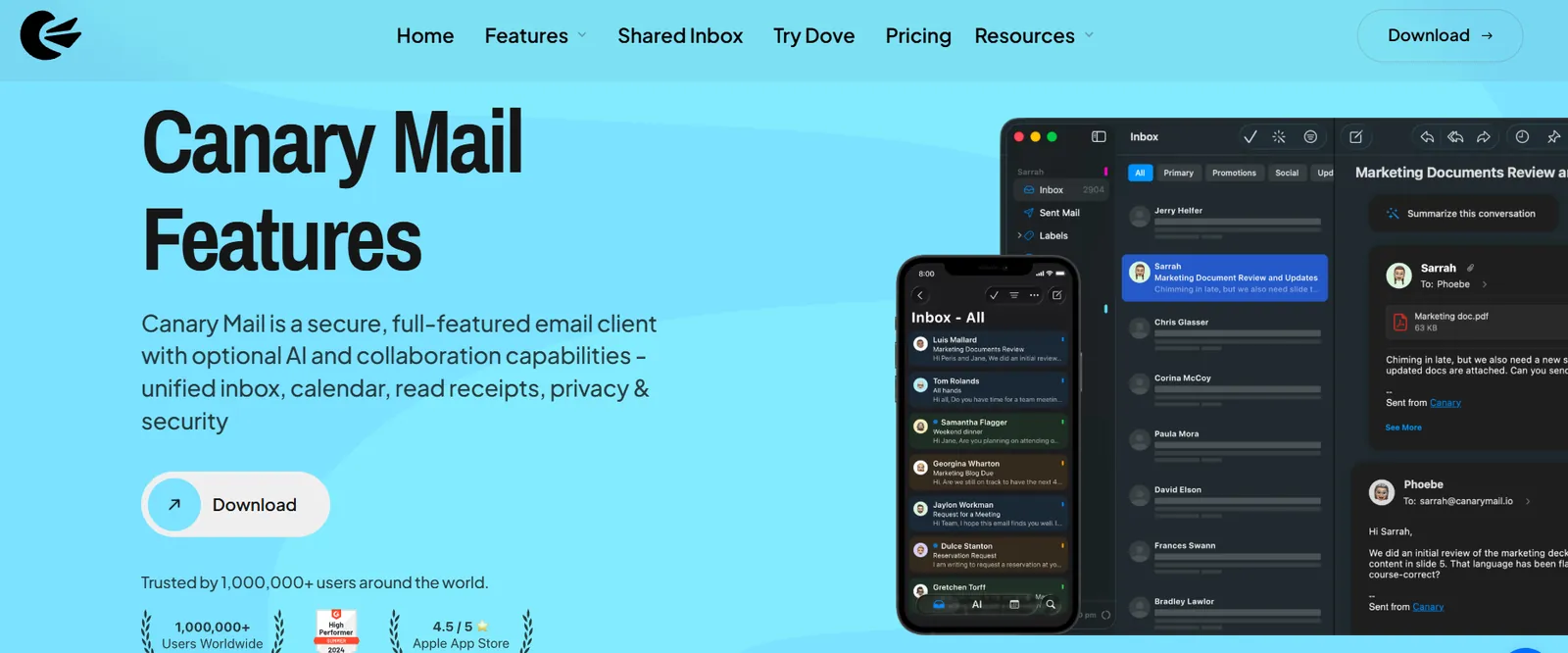
By using a client, you can implement End-to-End Encryption (E2EE) on top of your current mailbox. This ensures that sensitive content is encrypted before it even reaches your provider's servers.
AI Reassurance: AI in Canary Mail can be switched off entirely. You can use Canary Mail as a secure cross-platform email client to manage your encryption and privacy without making AI part of your workflow.
The Future of Email Management
To see how a secure client integrates with your current life, watch this overview of how Canary Mail handles everything from encryption to AI:
Secure Email Provider vs. Secure Email Client: Which One Do You Need?
The choice between a provider and a client depends entirely on your specific needs for privacy and productivity.
- Choose a Secure Provider if: You want to completely separate your identity from big-tech providers and don't mind the friction of a new email address.
- Choose a Secure Client if: You need to manage multiple accounts in one place, value a native app experience across macOS, Windows, and mobile, and want to keep your professional email identity.
Cross-Platform Authority: Beyond the Apple Ecosystem
Get a refined, native-feeling app that supports FaceID/TouchID and deep integration with Mac and iPhone hardware. Whether you need a secure email client for Mac or a high-performance secure email app for iPhone, Canary is built to provide a consistent experience across all your devices.
For many Apple users, the stock Apple Mail app lacks advanced security controls like PGP or revocable sending. Canary Mail provides an Apple-first experience, designed to feel native on macOS and iOS, while ensuring seamless cross-device sync and licensing. We also place a massive emphasis on reliability and search quality, ensuring that even with advanced encryption, your inbox remains fast and searchable.
Where Canary Mail Fits
Canary Mail is a secure client that allows you to implement End-to-End Encryption (E2EE) on top of a standard mailbox. By utilizing our security and encryption features, you ensure that only you and your recipient can read the message content, regardless of which service is hosting the mail. Furthermore, for those looking to boost productivity, we offer AI features that help you summarize and draft emails without compromising your privacy.
- Works with existing providers: Explicit support for Gmail, Outlook, iCloud, IMAP, and Exchange.
- Unified Inbox: Manage all your personal and professional accounts in one secure app.
- Security on your terms: Features like SecureSend and PGP are built-in, allowing you to choose the security level that fits each specific email you send.
Secure Email Provider vs. Secure Email Client FAQ
Can I use Canary Mail with my work Exchange account?
Yes. Canary Mail explicitly supports Microsoft Exchange, as well as Gmail, Outlook, iCloud, and IMAP.
Do I have to change my email address to use a secure client?
No. This is the main advantage of a client. You keep your current address and simply add a security layer on top of it.
Is a secure client as safe as a secure provider?
Both provide high levels of encryption. A provider secures the storage, while a client secures the transmission. For most professionals, a secure client offers the best balance of privacy and daily usability.
Does Canary Mail work on Windows and Android?
Yes. While often cited as the best secure email app for iPhone, Canary is a full cross-platform client available on Windows and Android.
How does sync work across my devices?
Canary Mail uses secure cross-device sync to ensure your folders, account settings, and security preferences stay updated across all your platforms.