Built for sales teams that live in their inbox
- Unify Gmail, Outlook, Exchange in one inbox
- AI flags your most important deals first
- Never forget follow-ups again
If you manage sales or customer accounts, your inbox is filled with leads, contracts, renewals, and upsell conversations. You need to respond fast, follow up consistently, and collaborate across accounts. This email app centralizes every inbox, surfaces high-value emails first with AI, and ensures your team never misses a follow-up - all securely.
Who this email app is for
This email app is built for sales and account managers who manage high-volume inboxes and multiple customer relationships every day.
- Account executives managing high volumes of sales conversations
- Account managers handling renewals, upsells, and long-term customer relationships
- Sales leaders who need visibility into key account conversations and follow-ups
[cta-block:ctablock1,title="Start Free Trial for Sales Teams",button="Try Canary Mail Free for Sales Teams",buttonlink="https://canarymail.io/downloads"]
Why default email clients fail sales and account teams
Standard email apps show every email equally. Sales teams need to focus on deals, renewals, and high-value conversations first.
In a sales inbox, some emails represent active deals, renewals, and revenue at risk. Others are just noise. When everything looks identical, critical follow-ups slip through.
Common problems sales teams face with generic email apps
- No clear view of active deals and accounts
High-value conversations get buried between newsletters, internal threads, and automated notifications. There’s no easy way to see which emails actually impact pipeline. - Manual follow-up tracking
After demos, quotes, and check-ins, follow-ups are tracked in notes, reminders, or spreadsheets. When your day gets busy, it’s easy to forget one and lose momentum on a warm deal. - Weak support for team selling
When multiple people work on the same account, there’s no shared context. It’s hard to know who replied last, what was promised, or where the conversation stands. - Context scattered across tools
Context is scattered across CRM, chat, and email. Reps waste time piecing it together instead of preparing to close. - No prioritization by revenue impact
A low-priority billing question and a high-value renewal appear identical in the inbox, forcing manual triage and increasing the risk of missed opportunities.
If you manage multiple inboxes or shared accounts, relying on manual sorting almost always leads to delayed replies and missed follow-ups.
Why sales teams need a different kind of email app
Sales teams need an email app that shows active deals, customer status, and reminds reps of follow-ups - not just send and receive emails
What a good email app for sales and account work should include
Sales teams don’t need more email features. They need an email app for sales and account managers that reduces manual work, protects follow-ups, and keeps every deal moving
Features that matter for sales teams
| Feature | Sales outcome |
|---|---|
| Unified inbox across all accounts | Never miss important customer emails spread across personal, work, and shared inboxes |
| AI reply drafts and thread summaries | Reply faster and know deal context before calls |
| Follow-up reminders and “waiting for reply” views | Fewer deals stall because someone forgot to follow up |
| Shared inbox and delegation | Clear ownership and smooth collaboration across SDRs, AEs, and account managers |
| Light pipeline and segment structure | See which deals are new, in progress, or up for renewal - without complex CRM setup |
| Strong security and access controls | Protect contracts, pricing, and sensitive customer conversations |
1. Unified inbox with account-centric views

As an email app for sales with a unified inbox, Canary Mail brings Gmail, Outlook, Exchange, and shared addresses into one place.
- Connect multiple work accounts, regional inboxes, and shared addresses
- Filter conversations by account, territory, segment, or account name
- Pin or favorite key accounts so high-value customers never get buried
Outcome: Sales reps spend less time switching inboxes and more time responding to the right accounts.
2. AI assistance for replies and summaries
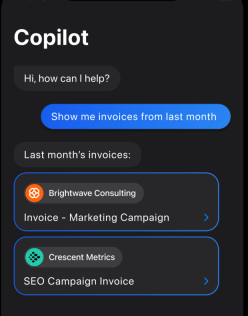
Sales inboxes are full of repetitive questions and long threads. AI helps you move faster without losing context.
- Generate reply drafts for pricing, next steps, and integration questions
- Summarize long email threads before calls or follow-ups
- Adjust tone from formal to friendly without rewriting from scratch
Example: Paste a few bullet points, click generate, review the draft, and send a polished follow-up in your own voice.
3. Reliable follow-up and task reminders
Follow-ups are where deals are won or quietly lost. Turn any email into a follow-up reminder directly from the inbox
- Set rules like “if no reply in X days” for proposals, quotes, or renewals
- Review a focused “waiting for reply” view so nothing stalls silently
Outcome: Fewer forgotten threads and more consistent deal momentum.
4. Shared inbox and team collaboration
Modern sales is a team effort. Your email app should support that.
- Use shared inboxes like sales@, accounts@, or partners@
- Assign conversations to SDRs, AEs, or account managers with clear ownership
- Add internal comments that stay private while keeping context visible to the team
This makes handoffs smoother and prevents miscommunication across roles.
5. Light structure for pipeline and segments
You don’t need a heavy CRM inside your inbox but you do need structure.
- Tag conversations by stage: new lead, proposal sent, negotiation, renewal
- Create views for key segments like enterprise, mid-market, or strategic accounts
- Use these views to prepare for pipeline reviews and account planning
Outcome: Better visibility without extra admin work.
6. Privacy and security for customer communication
Sales inboxes contain contracts, pricing, and sensitive conversations.
- Encrypted connections to your email providers
- Extra protection for messages with confidential data
- Clear access controls and audit history in shared inboxes
Keep contracts, pricing, and sensitive emails secure while replying to clients fast.
Email workflows that match real sales and account work
Sales teams live in their inbox all day. A good email app for sales and account managers supports how work actually happens - from morning triage to end-of-day follow-ups.
1. Morning triage for sales and account managers
Start the day by identifying what directly impacts revenue.
- Open views for today’s follow-ups and waiting for reply
- Scan AI summaries to refresh context on active deals before responding
- Review pinned or tagged key accounts and renewals
- Archive or snooze low-priority messages to keep focus on deal-critical emails
This workflow helps sales teams clear low-priority emails while ensuring key deals and follow-ups are never missed.
2. Handling new inbound leads efficiently
Inbound leads should move fast, without confusion or manual routing.
- New leads arrive in a shared inbox like sales@
- A rotating owner or coordinator assigns conversations to the right SDR or AE
- Reps use AI-assisted reply drafts for quick, personalized first responses
- Tags capture lead source, segment, or deal potential for later follow-up
This ensures every inbound lead gets a timely, consistent response.
3. Working key accounts and renewals
For active customers, context and timing matter more than speed alone.
- Create saved views for key accounts and upcoming renewals
- Before calls, skim AI summaries of recent threads to recall context
- Set follow-up reminders for post-call recaps, pricing updates, or upsell proposals
- Add internal comments so everyone knows next steps and commitments
This keeps account conversations organized and prevents renewal-related emails from being overlooked.
4. Collaboration between sales, success, and support
Revenue emails often involve multiple teams.
- Keep all contract, support, and onboarding messages in one shared thread.
- Sales teams loop in success or support using internal comments, not forwards
- Everyone sees the final response once resolved, reducing duplicate questions
- Clear ownership ensures nothing falls between teams
For deeper collaboration workflows, see the guide on the shared inbox for support and customer success.
Why these workflows work
These inbox-first workflows help sales and account teams:
- Move deals forward consistently
- Reduce missed follow-ups
- Keep communication coordinated and auditable
- Maintain focus on high-value conversations
All without switching between multiple tools.
Canary cut our missed follow-ups dramatically and made managing key accounts effortless.
-VP Sales
[cta-block:ctablock1,title="Turn these workflows into your daily support routine",button="Set up Canary Mail for Your Sales Inbox",buttonlink="https://canarymail.io/downloads"]
Pricing that fits individual reps and sales teams
An email app for sales and account managers should make it easy to start solo and scale to a full team without complex setup or unclear pricing.
Canary Mail is built to support both:
- Individual reps can start on a free or trial plan and manage all work inboxes in one place
- Sales teams can add shared inboxes, collaboration, and visibility across key accounts
- Clear, per-seat pricing makes it easy to see exactly what each rep or assistant costs.
For full plan details, see Canary Mail pricing for individuals and teams.
Quick start for sales teams (5 simple steps)
Getting set up takes minutes not days of IT work.
- Install Canary Mail on your main laptop and phone
Download the app from the downloads page and sign in. - Connect your work inboxes
Add Gmail, Outlook, Exchange, and any shared or regional sales addresses. - Mark VIP senders
Flag key accounts, prospects in active deals, partners, and internal stakeholders so they always surface first. - Turn on sales-critical views
Create tags or views for stages like lead, opportunity, renewal, and expansion, and enable AI summaries and reply drafts for common questions. - Set up team workflows (if applicable)
Connect shared inboxes, assign conversations to SDRs or account managers, and add internal notes that customers never see.
You can run Canary Mail alongside your existing email client for a week, then switch fully once your workflow is set.
Built to grow from one rep to a full team
For sales teams, per-seat pricing and shared inbox options make it easy to onboard new reps, assistants, and account coordinators without slowing down deals or involving heavy IT processes.
Whether managing one inbox or a dozen shared accounts, Canary Mail grows as your team and workload grow.
[cta-block:ctablock3,title="Boost Your Sales Productivity",subtitle="Manage deals, follow-ups, and client communication efficiently with Canary Mail.",button1="Get Started Free for Sales Teams",button1link="https://canarymail.io/downloads",button2="Explore all features",button2link="https://canarymail.io/features"]
Email app for sales and account managers - FAQ
Do we need to replace our CRM to use this email app?
This email app for sales and account managers complements your CRM, it doesn’t replace it.
You continue tracking deals, notes, and revenue in your CRM, while Canary Mail focuses on day-to-day communication, follow-ups, and execution inside the inbox so reps spend less time switching tools just to reply to emails.
Can multiple people work on the same account or inbox?
Yes. Shared inboxes and assignment rules allow SDRs, account executives, and account managers to work from the same conversations without confusion. Each email has clear ownership, and internal comments let teams coordinate privately without forwarding messages or creating side chats.
How does AI help sales reps without sending generic messages?
AI assists with summaries and draft suggestions, not automated mass outreach. Reps review and edit every message, adjust tone, and add deal-specific context. This speeds up routine replies and follow-ups while keeping communication personal and relevant to each account.
Is this safe for contracts and sensitive customer information?
The email app uses encrypted connections and offers additional controls for handling sensitive conversations like pricing, contracts, and renewals. Access to shared inboxes can be restricted by role, helping sales teams protect confidential information while staying compliant with internal policies.
Will this work if we already use a helpdesk for support?
Many teams use an email app like Canary Mail for sales and account communication, while a helpdesk manages support tickets. For smaller teams, a shared inbox may replace a helpdesk entirely. For larger teams, it typically runs alongside support tools and covers high-touch accounts and relationship-driven conversations.