Built for executives who can’t afford inbox chaos
If you’re an executive, your inbox isn’t just communication. It’s where decisions, escalations, and strategy show up every hour. Board updates, client threads, approvals, calendar changes, and internal questions all arrive together - mixed with CCs and notifications that rarely need your attention.
An inbox zero email app for busy executives helps you stay in control by:
- Unifying work, personal, and board inboxes in one place
- Using AI to surface what actually matters first
- Letting you reply, delegate, or schedule in seconds
- Protecting sensitive conversations with strong privacy and security
Instead of reacting to email all day, you stay focused on decisions that move the business forward.
Who this inbox zero email app is for
This inbox zero email app is built for executives who manage high-volume, high-stakes email every day.
- CEOs, founders, and business owners managing multiple roles and inboxes
- Senior leaders handling board communication, key clients, and internal escalations
- Executives working with assistants or chiefs of staff to triage email efficiently
[cta-block:ctablock1,title="Start Free Trial for Executives",button="Try Canary Mail Free",buttonlink="https://canarymail.io/downloads"]
Why generic email apps fail busy executives and leaders
Most email apps were designed for general users - not people making dozens of decisions per day.
In an executive inbox, some messages represent risk, revenue, or reputation. Others are noise. When everything looks the same, important work gets buried.
Common problems executives face with generic email apps
- Too many inboxes to manage
Work, personal, board, investor, and shared addresses all live separately, forcing constant switching and fragmented attention. - Important threads buried under noise
CCs, FYIs, newsletters, and automated alerts push time-sensitive messages out of sight. - Manual follow-up tracking
Executives rely on memory, notes, or spreadsheets to track who needs a reply or decision - and things inevitably slip. - No prioritization by impact
A newsletter and a client escalation appear identical, requiring constant manual triage. - Weak privacy controls
Many email clients trade convenience for tracking, data collection, or limited encryption options.
For executives, inbox zero isn’t about having no email. It’s about knowing that nothing important is hidden or forgotten.
Why executives need a different kind of email app
Executives need an inbox zero email app that surfaces what requires decisions, supports delegation, and protects sensitive conversations - not just a tool to send and receive emails.
What a good inbox zero email app for executives should include
Executives don’t need more email features. They need an inbox zero email app that reduces cognitive load, protects sensitive communication, and keeps decisions moving.
Features that matter for executives
| Feature | Executive outcome |
|---|---|
| Unified inbox across all accounts | One clear view of everything that needs attention |
| AI summaries and reply drafts | Faster understanding and response without mental overload |
| Snooze and follow-up reminders | No forgotten decisions or stalled threads |
| Delegation and shared inboxes | Clean handoffs to assistants or teams |
| Strong privacy and security | Confidence when handling sensitive conversations |
1. Unified inbox across all executive accounts
As an inbox zero email app for busy executives, Canary Mail brings all your accounts into one focused inbox.
- Connect Gmail, Microsoft 365, Exchange, iCloud, and custom domains
- View everything together while filtering by account, sender, or domain
- Pin or prioritize VIP senders like board members, investors, and key clients
Outcome: Executives see their true workload instantly without switching apps.
2. AI assistance that reduces cognitive load
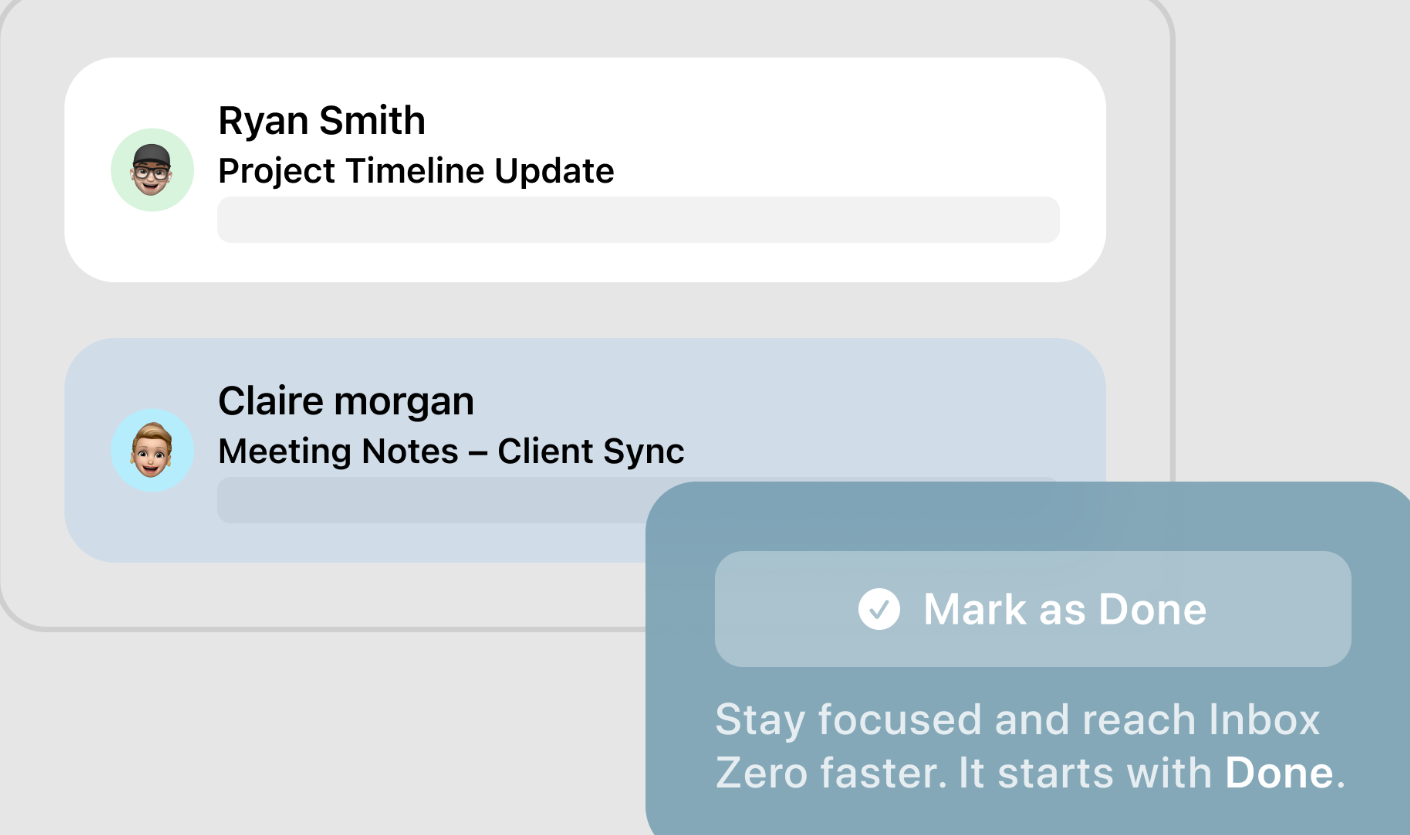
Executives don’t have time to read every word. AI helps you understand and respond faster - without speaking for you.
- Summarize long threads before meetings or decisions
- Generate reply drafts from a few bullet points
- Adjust tone from concise to formal while keeping your voice
- Highlight or label high priority messages based on sender or content.
Example: Skim a summary, add one sentence of direction, and send a polished response in seconds.
3. Reliable snooze and follow-up reminders
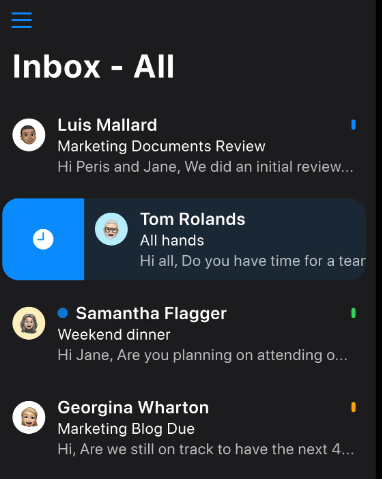
Decisions often depend on timing. This inbox zero email app makes sure nothing disappears.
- Snooze messages to the exact time you plan to revisit them
- Set “if no reply in X days” reminders for approvals or follow-ups
- Review a focused “waiting for reply” view at any time
Outcome: No silent stalls, no forgotten decisions.
4. Delegation and shared inbox support
Executives rarely work alone - and email shouldn’t be a bottleneck.
- Delegate emails to assistants or team members with internal notes
- Use shared inboxes like investors@ or press@ for triage
- Maintain visibility without being copied on everything
This keeps your inbox focused while ensuring nothing important slips through.
5. Privacy and security for sensitive communication
Executive inboxes contain confidential information.
- Encrypted connections to all email providers
- Optional end-to-end encryption for sensitive conversations
- Tracker blocking to prevent invisible read receipts
- Clear access controls for shared inboxes
Handle board updates, deals, and escalations with confidence.
Inbox zero workflows that match a real executive day
Inbox zero works when it fits how executives actually work - not when it adds rules or friction.
1. Morning triage in 10-15 minutes
- Open the unified inbox on your laptop or phone to see all accounts in one place
- Let AI highlight priority senders such as board members, key clients, and direct reports
- Use summaries to quickly understand long overnight threads
- Archive or snooze low-importance messages so only items needing action remain visible
- Start the day focused on decisions, not inbox cleanup
2. Decision-first email processing
- For each new message, choose one outcome: reply, delegate, schedule, or archive
- Use AI-assisted drafts to respond quickly while keeping your tone
- Assign or forward messages with a short internal note when action belongs elsewhere
- Turn important emails into calendar events or tasks as needed
- Ensure every email leaves the inbox with a clear next step
3. End-of-day follow-up sweep
- Open views for “waiting for replies” and “snoozed for today”
- Send short nudges on stalled decisions or proposals
- Snooze non-critical items to a future time
- End the day knowing nothing important is hidden or forgotten
4. Travel and mobile periods
- Use the same priority views on mobile while traveling
- Catch up quickly between meetings or flights with AI summaries
- Keep sensitive conversations protected with encryption and tracker blocking
- Maintain inbox zero habits even when working on the move
Why these workflows work
These inbox-first workflows help executives:
- Reduce mental load
- Avoid missed follow-ups
- Delegate with confidence
- Stay focused on high-impact decisions
All without switching tools or chasing an empty inbox
Canary helped me regain control of my inbox without sacrificing privacy or speed.
- CEO
[cta-block:ctablock1,title="Set Up Canary Mail for Executives",button="Set Up Canary Mail for Executives",buttonlink="https://canarymail.io/downloads"]
Pricing that fits executives and leadership teams
An inbox zero email app for busy executives should be easy to start and flexible to scale.
- Start free or on a trial to test unified inbox and AI
- Upgrade for advanced AI, shared inboxes, and more devices
- Add team access for assistants or chiefs of staff
See full details on the pricing page.
Quick start for busy executives
A simple onboarding path:
- Install Canary Mail on your main laptop and phone
Download the app from the downloads page and sign in. - Connect your executive inboxes
Add your main work account, then connect personal, board-related, and any shared executive addresses. - Mark VIP senders
Flag board members, investors, key clients, and direct reports so their emails always surface first. - Turn on inbox zero views
Enable focused inbox views, AI summaries, and follow-up reminders so important messages never slip. - Run alongside your current email client
Use Canary Mail next to your existing email app for a week, then switch fully once the workflow feels natural.
If you also run a startup or wear a founder hat, you can explore the dedicated guide on the email app for founders and startup teams to see workflows tailored to that role.
Built to grow from one executive to a full leadership team
For executives, flexible per-seat plans and shared inbox options make it easy to add assistants, chiefs of staff, or additional team members without slowing decision-making or complicating setup.
Whether managing a single inbox or multiple personal, board, and shared accounts, Canary Mail scales seamlessly as your responsibilities and team grow.
[cta-block:ctablock4,title="Take Control of Your Inbox",button1="Get Started Free for Executives",button1link="https://canarymail.io/pricing",button2="Explore all features",button2link="https://canarymail.io/features"]
Inbox Zero Email App for Busy Executives - Frequently Asked Questions
Do I need to change my email provider to use an inbox zero email app?
No. You keep using your existing providers such as Gmail, Microsoft 365, Exchange, iCloud, or custom domains. The inbox zero email app connects to your accounts and focuses on helping you read, prioritize, and reply efficiently - without switching providers.
Will an inbox zero email app really save me time as an executive?
The biggest time savings come from a unified inbox, AI summaries of long threads, reply drafts, and automatic follow-up reminders. You spend less time digging through emails and more time making decisions that matter.
Is it safe to use an inbox zero email app for confidential topics like board updates or deals?
Yes. A good inbox zero email app uses encrypted connections, blocks trackers, and can provide end-to-end encryption for sensitive conversations. You get strong security while keeping your inbox fast and manageable.
Can my assistant or team help me reach inbox zero?
Many executives use shared inboxes or delegation features so assistants or chiefs of staff can triage messages, draft replies, and flag only the threads that truly need your attention.
What is a realistic inbox zero goal for a busy executive?
Inbox zero means that every email has a clear state: answered, delegated, scheduled, or intentionally snoozed. It’s less about having no emails and more about making sure no important work is hidden in unread threads.