Short answer: choose Canary Mail if you want AI that writes and summarizes, the same app on your computer and phone, and a free plan with unlimited accounts. Choose eM Client if you need S/MIME, encryption on a free plan, a full calendar with tasks on Windows, or a cheap one-time licence. Both run on Windows, Mac, iPhone and Android, and neither runs on Linux.
Disclosure: we make Canary Mail. We've tried to be fair to eM Client, and we say where it's the better choice. Prices were checked on both companies' sites on October 6, 2026.
Canary Mail vs eM Client at a glance
| Canary Mail | eM Client | |
|---|---|---|
| Platforms | Mac, Windows, iPhone, iPad, Android | Windows, Mac, iPhone, Android |
| Free version | Unlimited accounts on up to 2 devices | 2 accounts on 1 device, personal use only |
| Paid price | Growth $36/year, Pro+ $100/year | Personal $24.95/year or $39.95 once |
| Lifetime or one-time licence | Growth $100, Pro+ $300 (all future updates) | $39.95 for the current version; future versions from $50 |
| AI | Writing and summaries on Growth; inbox sorting on every plan | ChatGPT-based add-on, included with yearly plans |
| Encryption | PGP on Pro+ | PGP and S/MIME on every plan, including free |
| Tracker blocking | On by default | Not covered here |
| Calendar | Mac, iPhone, iPad; Gmail only on Windows; not on Android | Calendar, contacts and tasks on Windows and Mac |
| Business licences | Same plans | $29.95/year or $44.95 once per device |
Pricing compared
Canary Mail has a free plan that's free forever, with unlimited email accounts on up to two devices and AI inbox sorting. Growth costs $36 a year and adds AI writing and summaries. Pro+ costs $100 a year and adds PGP encryption and SecureSend. Paid plans cover up to five devices, and there's no monthly billing. If you'd rather pay once, lifetime licences cost $100 for Growth and $300 for Pro+. You can try the paid features free for 7 days without a card.
eM Client is free for personal, non-commercial use with two accounts on one device. Personal costs $24.95 a year, including its AI add-on, or $39.95 once for up to three devices. The one-time licence covers the current major version only: Lifetime Upgrades for future versions start at $50, and the AI add-on isn't included. Business costs $29.95 a year or $44.95 once, per device. There's a 30-day trial and a 30-day money-back guarantee.
On price alone, eM Client is cheaper: $39.95 once against Canary's $100 lifetime Growth licence. Canary's lifetime licence includes future versions and its AI, though, and its free plan has no account limit.
AI features
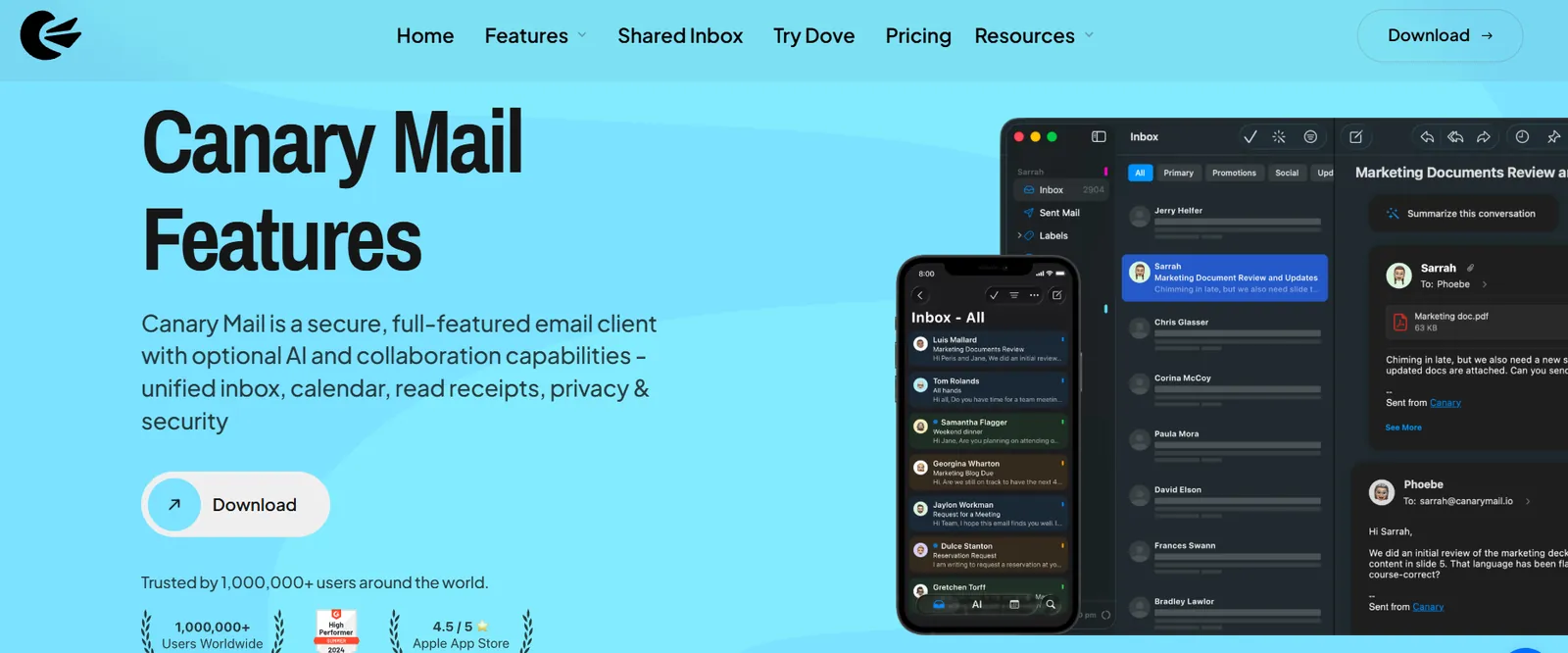
Canary's AI writes replies, summarizes threads and answers questions about your mail in plain language. Sorting and prioritizing your inbox runs on your device and works offline for mail you've already downloaded, while drafts and summaries use cloud AI. Canary says your emails aren't used to train AI models or shared with AI providers for training.
eM Client's AI uses ChatGPT. It can reply, write, summarize, rephrase and change the tone of a message, and you can switch it off in settings. It comes with the yearly plans; one-time licence owners have to buy the add-on separately. eM Client 11, released in October 2026, adds an AI assistant and lets you bring your own AI provider.
Encryption and privacy
eM Client is the stronger pick for encryption: PGP and S/MIME are on every plan, including the free one, which matters if your company requires S/MIME certificates. Canary includes PGP and SecureSend on Pro+ and blocks tracking pixels in marketing email by default. Canary is HIPAA and GDPR compliant, and your mail stays with your email provider.
Platforms and calendar

Both apps run on Windows, Mac, iPhone and Android, and neither has a Linux version. eM Client's phone apps are free with any licence; Canary also has an iPad app. eM Client has the fuller desktop toolkit, with a calendar, contacts, tasks and notes. Canary's calendar is fully supported on Mac, iPhone and iPad, works with Gmail calendars only on Windows, and isn't on Android yet.
Which should you choose?
- Choose Canary Mail if you want AI that drafts and summarizes, the same app across Mac, Windows, iPhone, iPad and Android, a free plan without an account limit, and tracker blocking by default.
- Choose eM Client if you need S/MIME, want encryption without paying, rely on a calendar and tasks on Windows, or want the cheapest one-time licence.
If neither fits, see our list of eM Client alternatives or the best email clients for Windows.
How to switch from eM Client to Canary Mail
- Add your accounts to Canary. Mail in Gmail, Outlook, iCloud and IMAP accounts stays on the server, so it appears in Canary on its own.
- Move local folders first. If you keep mail in eM Client's local folders, drag it into a folder in one of your accounts so it syncs.
- Bring your PGP keys. Export them from eM Client and import them into Canary (PGP needs Pro+).
Frequently asked questions
How much does Canary Mail cost?
Canary Mail has a free plan. Growth costs $36 a year and Pro+ $100 a year, billed yearly, with a 7-day free trial.
Does Canary Mail have a lifetime licence?
Yes. A lifetime licence costs $100 for Growth or $300 for Pro+, for one person on up to five devices.
How much does eM Client cost?
eM Client is free for personal use with two accounts. Personal costs $24.95 a year or $39.95 once for the current version; Business costs $29.95 a year or $44.95 once per device.
Is Canary Mail better than eM Client?
For AI and using one app across your computer and phone, yes. For S/MIME, free encryption, and a calendar with tasks on Windows, eM Client is the better choice.
Does Canary Mail use my emails to train AI?
No. Canary says your emails aren't used to train AI models and aren't shared with third-party AI providers for training.
Can I use Canary Mail with Gmail, Outlook and iCloud?
Yes. Canary works with Gmail, Outlook, iCloud and any IMAP account, all in one inbox.