If you feel overwhelmed by too many email tabs and scattered messages, you are not alone. Many professionals reach a breaking point where they need a better way to organize their communication. This search often leads to two terms that sound similar but solve very different problems: the unified inbox and the shared inbox.
A unified inbox is designed to help one person manage multiple email accounts in one place. A shared inbox is built for a team to collaborate on the same set of incoming messages. Choosing the wrong one can lead to either poor team visibility or a cluttered, stressful personal workflow. This post clarifies the difference and explains where Canary Mail fits into your daily routine.
Quick answer: Unified inbox and shared inbox are not the same
A unified inbox is a personal productivity tool. It brings all your individual accounts (Gmail, Outlook, iCloud, IMAP, Exchange) into a single, cohesive view so you can manage your work without switching contexts. It is about personal focus and efficiency.
A shared inbox is a team operations tool. It allows multiple people to access a single email address, assign tasks, add comments, and track ownership. It is about team transparency and customer support operations. If you are a single user, founder, consultant, recruiter, or small operator managing separate accounts, a unified inbox is usually the better fit. A shared inbox becomes useful when several teammates need to manage the same incoming address together.
What is a unified inbox?
A unified inbox aggregates emails from various providers into one stream. Whether you have a primary work account, a personal Gmail address, or a specific project inbox, a unified inbox treats them as one cohesive workspace.
This is ideal for individuals who juggle multiple identities or accounts throughout the day. Instead of logging in and out of different web portals or keeping five browser tabs open, you get one view. It is built for cross-platform workflows, allowing you to search, filter, and respond from one central hub, maintaining your focus and reducing digital fatigue.
What is a shared inbox?
A shared inbox is built for group visibility. It is typically used by support, sales, or customer success teams where multiple people need to see and act on the same stream of emails.
In this model, the inbox does not belong to a person; it belongs to the team. Features often include message assignment, internal comments, thread status tracking, and performance analytics. If you need to know who is working on which ticket or whether a customer has received a reply from a colleague, this is the environment you need. It is essentially a helpdesk or team operations platform.
Unified inbox vs shared inbox: side-by-side comparison
Why a unified inbox is better for multiple email accounts?
For people with multiple email accounts, a unified inbox is the clear winner. If you are a freelancer, consultant, recruiter, or business owner, you likely manage distinct identities across different platforms. You do not need your team to see your personal emails, nor do you need helpdesk-style task assignment.
A unified inbox allows you to maintain your professional velocity without the distraction of shared team workflows.
[cta-block:ctablock1,title="Manage Every Inbox in One Secure App",button="Download Canary Mail",buttonlink="https://canarymail.io/downloads"]
Which one is better for support teams and collaborative operations?
A shared inbox is the better fit only if your primary goal is collaborative operations. If you are running a customer support team where accountability and response time analytics are critical, you need a helpdesk tool.
We want to be honest about this distinction. If you try to force a team into a unified inbox model, you will run into issues like duplicate replies and missed tasks. Conversely, if you are an individual and you choose a shared inbox, you will find yourself burdened by unnecessary enterprise features and complex setups that do not actually improve your personal productivity.
Where Canary Mail fits
Canary Mail is a secure cross-platform email client built for people who manage multiple accounts across Gmail, Outlook, iCloud, Exchange, and IMAP. It is best suited for unified inbox workflows where one person wants a faster, cleaner, more private way to manage email across devices.
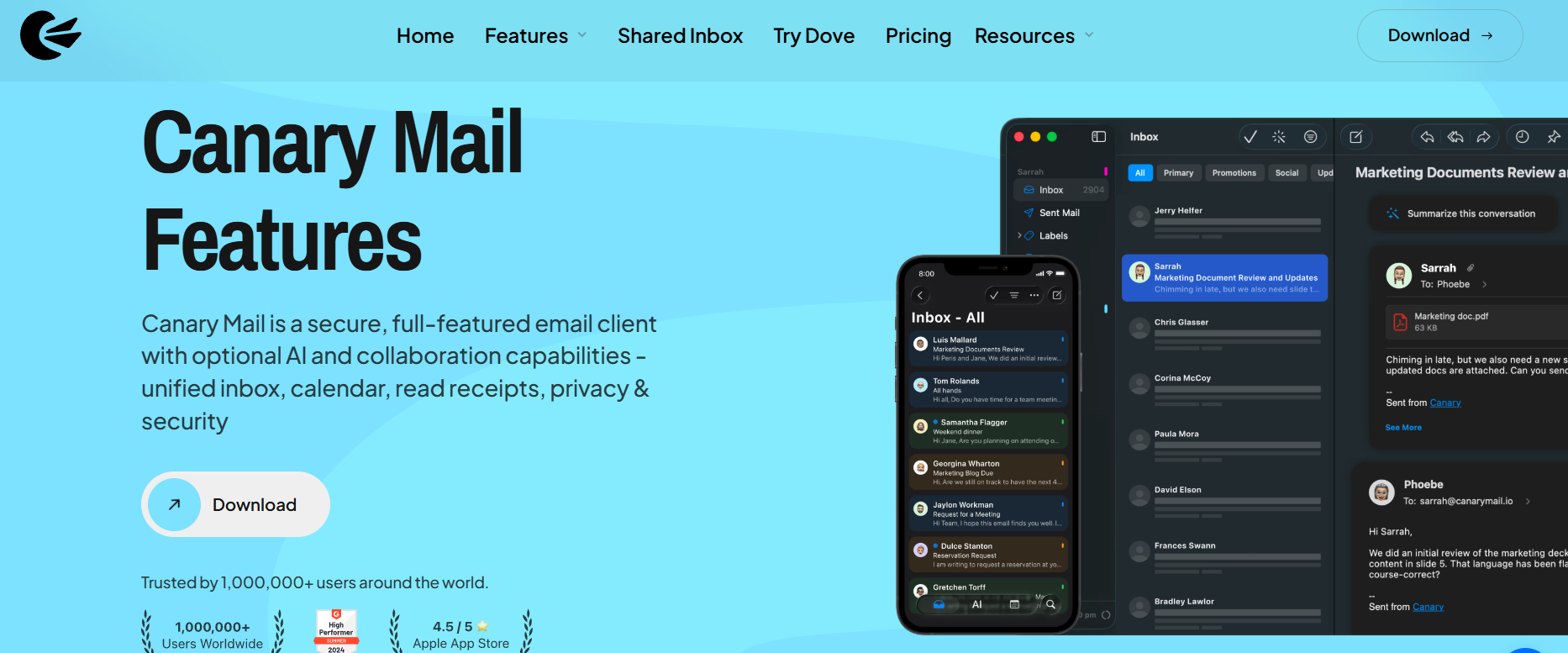
Canary Mail is especially strong for Apple users who want a familiar Mac, iPhone, and iPad workflow, but it also works across Windows and Android. This makes it a strong fit for professionals who want one secure inbox across devices without switching email providers. Whether you are aiming for or just need , Canary Mail acts as your personal command center.
Whether you are consolidating your Gmail, Outlook, or Exchange accounts, Canary Mail acts as your personal command center.
See how the AI features and unified workflow work in this review:
Efficiency in a unified workflow relies on seamless synchronization. Just as tools like Syncthing keep your files consistent across all your devices, Canary Mail ensures your multi-account email experience is perfectly mirrored across Mac, iPhone, and Android.
Check this video to learn how to synci files across multiple devices without a complex middleman.
Unified inbox on Mac and iPhone
Canary Mail provides seamless device continuity. Because your accounts are synced via a unified inbox on your Mac and iPhone, you can pick up exactly where you left off. You do not need to worry about different layouts or disjointed search results. It is the same reliable experience whether you are in the office or on the go.
Learn more about our Mac email client or download the app for iPhone.
What to look for in a unified inbox tool
If you are evaluating options for your multi-account workflow, look for these markers:
- Multiple account support: Does it handle Gmail, Outlook, iCloud, and IMAP easily?
- Clear provider compatibility: Can you add as many accounts as you need?
- Cross-device continuity: Do your settings and emails sync across all your devices?
- Reliable sync and search: Is the search functionality fast and accurate?
- Privacy-aware controls: Does the tool prioritize your data security?
- Optional AI: Can you use AI-assisted writing without it being forced upon you?
- Simple pricing: Are the pricing and licensing transparent and fair?
[cta-block:ctablock1,title="Unify Gmail, Outlook, iCloud, and IMAP",button="Download Now",buttonlink="https://canarymail.io/download"]
Final takeaway
To wrap up, the choice depends on your objective. Choose a unified inbox if you are an individual who needs one efficient workspace to manage several email accounts. Choose a shared inbox if you are a team that needs to collaborate inside one common, team-owned email address.
Canary Mail is built for the former model, providing the tools you need to stay focused, secure, and productive.
[cta-block:ctablock5,title="Tired of Switching Accounts?",subtitle="Get a unified, secure workspace for all your Gmail, Outlook, and IMAP accounts.",button1="Get Canary Mail",button1link="https://canarymail.io/download",button2="View Plans",button2link="https://canarymail.io/pricing"]
FAQ
What is the difference between a unified inbox and a shared inbox?
A unified inbox aggregates multiple personal or work accounts into one view for a single user to manage. A shared inbox allows a team to collaborate on a single email address, usually with features for task assignment and status tracking.
Is a unified inbox good for multiple Gmail and Outlook accounts?
Yes. A unified inbox is specifically designed to make managing multiple accounts from different providers like Gmail, Outlook, and Exchange faster and easier by keeping them in one interface.
Is a shared inbox better for support teams?
Yes. If your goal is to have multiple people reply to the same support emails and track who is working on what, a shared inbox or helpdesk platform is the correct tool.
Does Canary Mail offer a unified inbox?
Yes. Canary Mail is a secure email client that provides a unified inbox, allowing you to manage all your personal and professional accounts in one place with privacy controls and optional AI features.
Is Canary Mail a shared inbox tool?
Canary Mail is primarily a secure cross-platform email client for unified inbox workflows. It helps individuals and professionals manage multiple existing accounts in one app. Teams that need assignment, internal comments, and shared ownership may need a dedicated shared inbox or helpdesk workflow.
Does Canary Mail work with Gmail, Outlook, iCloud, Exchange, and IMAP?
Yes. Canary Mail works with existing Gmail, Outlook, iCloud, Exchange, and IMAP accounts, so users can manage multiple providers from one secure cross-platform inbox.