When choosing an email client, you may notice many services now include AI capabilities. These features often fall into two categories: local AI and cloud AI. While both aim to solve similar email management tasks, such as drafting replies or summarizing threads, they differ significantly in how they handle your data, maintain privacy, and operate within your workflow. Understanding these differences helps you choose tools that respect your privacy rather than compromising it.
Quick answer: Local AI and cloud AI are not the same
Local AI performs processing directly on your device. In this model, your data stays on your machine during the processing phase, reducing the frequency with which it travels to a remote server for analysis. This architecture can reduce data exposure because processing happens on the device, but privacy still depends on the app architecture, account provider, permissions, and security settings.
Cloud AI, conversely, sends your email data to a remote server to be processed by a large-scale model. While this can offer vast feature sets, it introduces a privacy boundary concern, as your sensitive data must leave your control to be analyzed. Many users confuse the two because both appear as "AI features" inside their applications.
What is local AI in email?
Local AI relies on on-device processing. The intelligence models run directly on your Mac, iPhone, or PC hardware. Because the data remains on your device during analysis, you maintain a higher degree of control over your information.
Strengths include offline functionality, low latency, and reduced data transmission. Limitations include higher demands on your device battery and storage, as the hardware must be capable of running the models efficiently.
What is cloud AI in email?
Cloud AI uses server-side model processing. When you ask the AI to draft an email or summarize a conversation, your data is sent to the vendor's servers. The heavy lifting happens in the cloud, allowing the service to leverage massive, feature-rich models that would be too heavy for a standard phone or laptop.
Strengths include broad feature sets and constant updates. Limitations involve privacy concerns, as your email content becomes part of the vendor's data stream, and a dependency on consistent internet connectivity.
See how Canary Mail integrates powerful features while prioritizing your security and data control:
[cta-block:ctablock1,title="Use AI Without Giving Up Email Control",button="Download Now",buttonlink="https://canarymail.io/download"]
Canary Mail works with your existing email accounts
Canary Mail is an email client, not an email provider. You can connect Gmail, Outlook, iCloud, Exchange, and IMAP accounts, then manage them through one secure cross-platform app. This matters because AI privacy is not only about the model. It is also about where your email lives, what data is processed, and how much control you keep.
Local AI vs Cloud AI in email: side-by-side comparison
Which is better for privacy-conscious email users?
Privacy-conscious users generally prefer architectures that minimize data exposure. Local AI can be a strong choice for these requirements because it reduces the need to transmit sensitive email content to an external server. However, privacy is not just about the AI model; it depends on the architecture, how the client handles your , and the trust you place in the email provider itself.
Canary Mail provides that prioritize your control. We believe AI should be framed as optional power, not the whole product identity. When comparing , it is clear that user control over data processing is the defining factor.
Which is better for people managing multiple accounts?
If you manage Gmail, Outlook, iCloud, or IMAP/Exchange accounts, your workflow requires a unified approach. Cloud AI models often struggle to aggregate data across these disparate providers without complex permissions.
Canary Mail functions as a secure bridge, allowing you to use your existing accounts while maintaining a consistent experience. We focus on reliability and search quality so you can manage multiple identities without friction.
Where Canary Mail fits
Canary Mail is a secure cross-platform email client with optional AI. It works with your existing accounts rather than forcing you to use a new provider. We prioritize privacy and control across macOS, Windows, iPhone, iPad, and Android, making it an especially strong choice for Apple users who want features within a familiar, professional workflow.
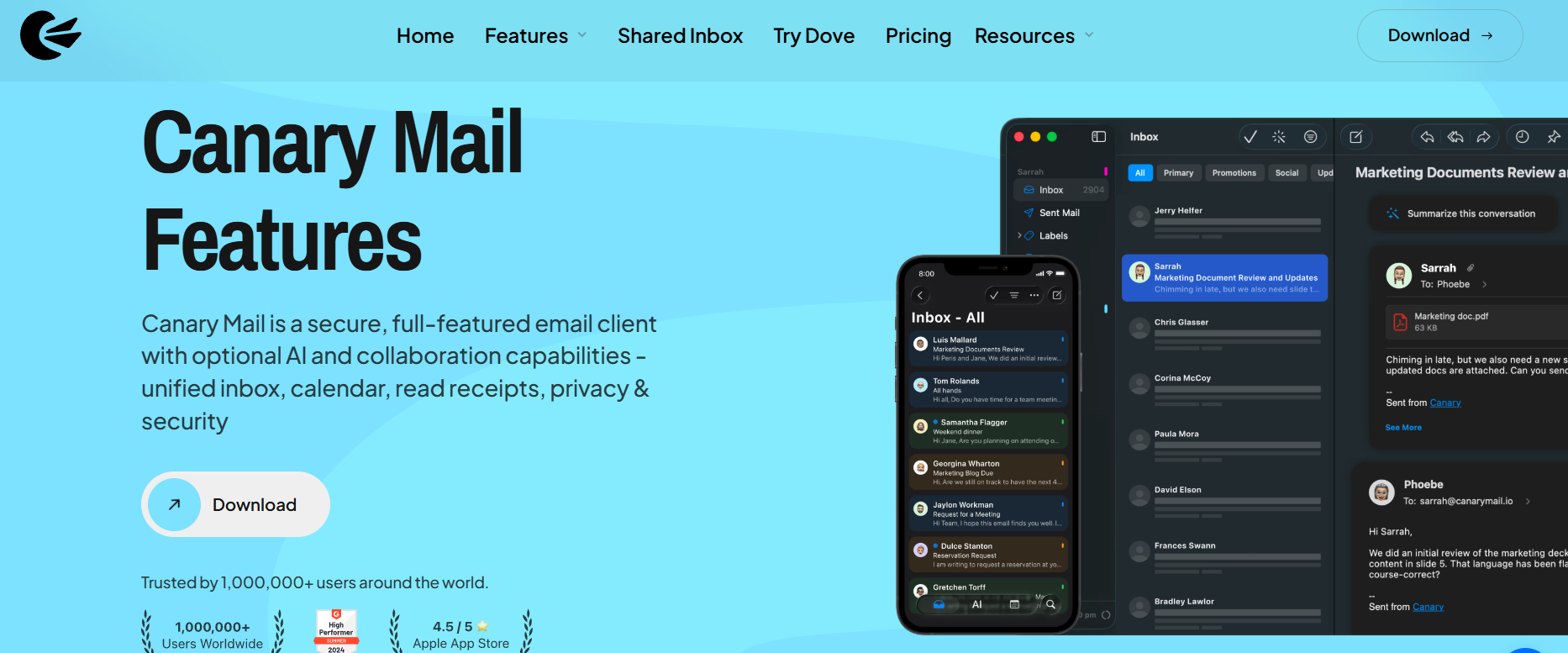
Learn more about us and how we bridge your existing accounts. We allow you to bring your own email accounts and access them through our interface.
[cta-block:ctablock4,title="Upgrade to Secure, Optional AI",button1="Download for Mac",button1link="https://canarymail.io/download",button2="Get on iOS",button2link="https://apps.apple.com/app/id1236045954"]
Local AI vs Cloud AI on Mac and iPhone
Apple users often value the continuity between devices. Whether you are using our AI email client for Mac or our AI email app for iPhone, your workflow should be seamless. We ensure that cross-device sync and licensing functions smoothly, maintaining your privacy standards regardless of which device you use to access your inbox.
What to look for in an AI email workflow
When selecting a tool, ensure it meets these baseline requirements:
- Optional AI: You should be able to disable AI features entirely.
- Clear privacy boundaries: Transparency regarding where your data goes.
- Existing-provider support: Compatibility with Gmail, Outlook, and others.
- Cross-device continuity: Sync that respects your security settings.
- Reliable sync and search: High performance across all accounts.
- Simple licensing: Clear pricing and plan details.
- Security controls: Deep security and encryption features.
Final Takeaway
Local AI and cloud AI represent different workflow models. Local AI prioritizes data sovereignty, while cloud AI prioritizes expansive feature sets. For users who value privacy, control, and a seamless cross-account experience, the best choice is a client that treats AI as an optional power-up, not a requirement. Canary Mail remains dedicated to providing a secure email environment where you own your data.
[cta-block:ctablock5,title="Take Control of Your Email Privacy",subtitle="Choose optional AI tools that respect your boundaries, or stick to a secure, traditional workflow.",button1="Download Canary Mail",button1link="https://canarymail.io/download",button2="See Pricing",button2link="https://canarymail.io/pricing"]
Frequently Asked Questions
What is the difference between local AI and cloud AI in email?
Local AI processes your email data on your device, while cloud AI sends your data to an external server. Local AI can help reduce data exposure, whereas cloud AI typically enables more expansive features.
Is local AI always more private than cloud AI?
Local AI can reduce data exposure because processing happens on the device, but privacy still depends on the app architecture, account provider, permissions, and security settings.
Does Canary Mail work with Gmail, Outlook, and iCloud?
Yes. Canary Mail works with existing accounts such as Gmail, Outlook, iCloud, Exchange, and IMAP. It gives you one secure cross-platform client without forcing you to switch email providers.
Is Canary Mail an email provider or an email client?
Canary Mail is an email client. It connects to your existing email accounts and adds productivity, privacy, security, and optional AI features on top of your current email setup.
Does Canary Mail use optional AI or require AI for core workflows?
Canary Mail uses optional AI. Our core functionality is designed for privacy and reliability, ensuring you can manage your inbox effectively whether or not you choose to use AI features.
What is better for Mac and iPhone users: local AI or cloud AI in email?
For Apple users who prioritize device continuity and data privacy, a client offering privacy-focused optional AI is often the best fit, as it respects the ecosystem's emphasis on user security.