Choosing how you access your inbox affects your daily productivity. Gmail web offers quick, familiar access directly in your browser. However, a native Mac email client often provides a more powerful desktop workflow, superior multi-account management, Apple-style usability, and greater control over your privacy and data.
Quick answer: Gmail web and native Mac email clients solve different needs
Gmail web is a browser-based application developed by Google. It is designed to be a universal interface that functions the same way regardless of the hardware you are using. It is the default choice for millions of users who prioritize web accessibility and integration with the Google ecosystem.
A native Mac email client is software installed directly on your macOS system. It is designed to leverage Apple’s system resources, interface design standards, and privacy protections. Users often compare the two because they seek to solve the same problem: managing email, but they differ significantly in how they handle local processing, notification management, and multi-account integration.
What is Gmail web best for?
Gmail web is ideal for users who prioritize simplicity and accessibility. Because it runs in a browser, it requires no installation and is available on any device with an internet connection. If your professional life is entirely contained within the Google ecosystem, using Gmail in a browser keeps you within a single, consistent interface.
However, browser-based access has limitations. It often struggles with complex workflows involving multiple non-Google accounts. Furthermore, it lacks the deep integration with the macOS system that allows for features like advanced local search, persistent notifications, and seamless document handling.
What is a native Mac email client best for?
By moving email out of the browser and into a dedicated desktop app, you gain a more focused workflow with system-level notifications, a native interface, and better multi-account control. A native client is built for power users and professionals who want a centralized workspace.
A native client allows for better integration with your Mac. You get granular control over notifications, consistent UI elements that respect your dark mode or display settings, and the ability to manage multiple email accounts in one unified inbox. It removes the friction of switching browser tabs or juggling multiple login sessions.
Gmail web vs native Mac email client: side-by-side comparison
Which is better for Gmail users on Mac?
If you only use one Gmail account and do not mind working in a browser, Gmail web is likely sufficient. It provides the standard features you expect without requiring any setup.
However, as soon as your workflow grows, the limitations become apparent. If you find yourself constantly refreshing browser tabs or wanting a better "Gmail app for Mac" experience, a native client becomes the better choice. It organizes your emails into a workspace designed for focus rather than consumption.
Which is better for people with multiple accounts?
Managing Gmail, Outlook, iCloud, and Exchange simultaneously in a browser is difficult. You are forced to log in and out or keep multiple windows open, which consumes memory and creates distractions.
A native client, like Canary Mail, allows you to aggregate all your accounts into one unified view. You can process messages from different providers using a single set of tools, shortcuts, and preferences, significantly reducing the time spent on manual account switching.
Where Canary Mail fits
Canary Mail is not an email provider. It is a secure cross-platform email client that works with existing Gmail, Outlook, iCloud, Exchange, and IMAP accounts.
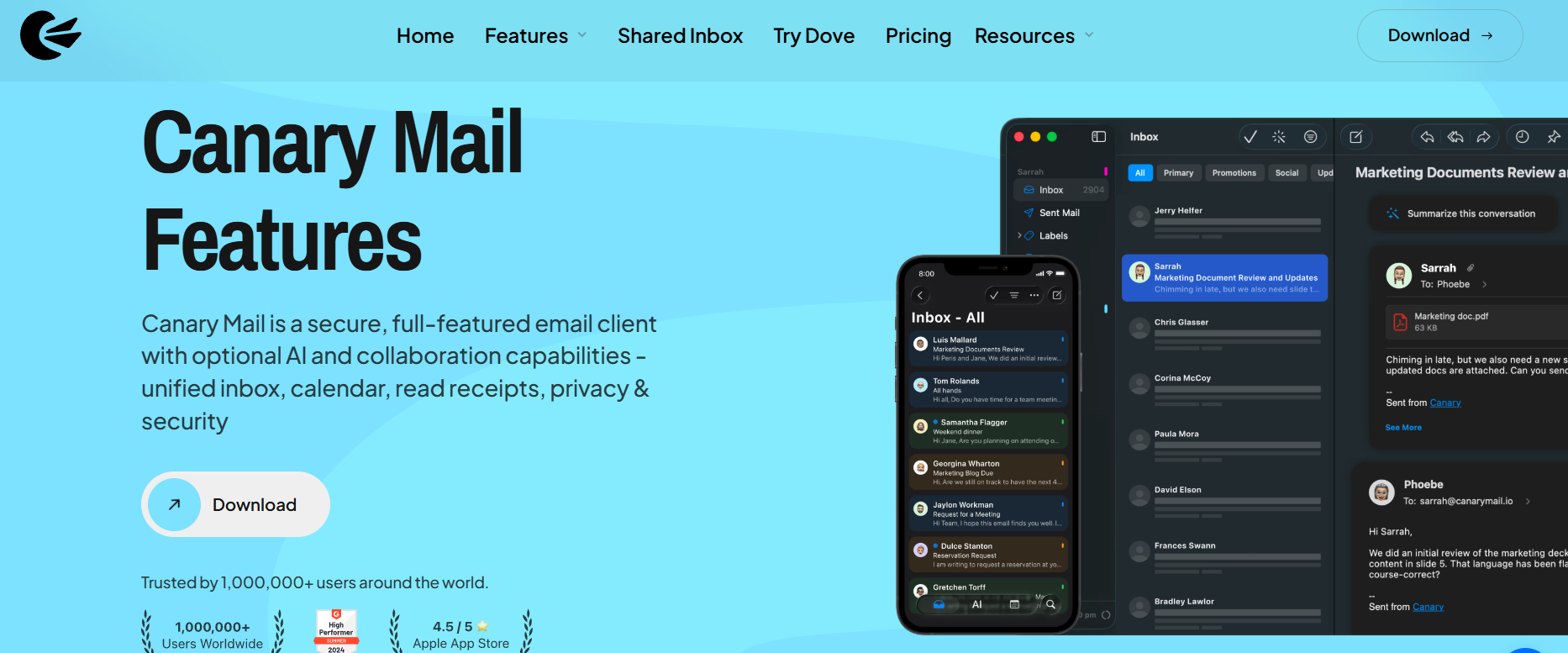
For Gmail users on Mac, Canary Mail gives you a native app experience with unified inbox support, privacy-aware controls, optional AI, and cross-device continuity across Mac, iPhone, iPad, Windows, and Android. It is especially useful if Gmail web feels limiting because you manage multiple accounts, need a stronger desktop workflow, or want one secure email app across devices. Whether you are using it for or simply to improve , Canary Mail is built to provide a consistent, high-quality experience.
[cta-block:ctablock1,title="Upgrade Your Gmail Experience",button="Download Now",buttonlink="https://canarymail.io/download"]
Gmail on Mac and iPhone
True productivity comes from continuity. Using a native alongside your Mac client allows you to maintain the same workflow on the go. By using the same application on both devices, you ensure that your settings, folders, and preferences are synchronized, providing a seamless transition.
You can see more about setting up your accounts in this video:
When Gmail web is enough
Gmail web is enough if you use one Gmail account, work mainly in a browser, and do not need a dedicated desktop workflow.
When a native Mac email client is better
A native Mac email client is better if you manage several accounts, want a unified inbox, need better desktop notifications, prefer an Apple-style interface, or want privacy and security features beyond the browser experience.
What to look for in a Gmail client for Mac
If you are ready to move away from the browser, look for these key indicators of a high-quality email client:
- Gmail compatibility: Full support for Gmail labels and folders.
- Multi-account support: Seamless integration of all your email addresses.
- Reliable sync and search: Check for reliability and search quality.
- Privacy-aware controls: Encryption options like PGP.
- Optional AI: Tools that assist you without tracking your data.
- Apple-style workflow: A design that feels native to macOS.
- Clear pricing: Transparent pricing and plan details.
[cta-block:ctablock4,title="Get a Better Gmail App for Mac",button1="Download for Mac",button1link="https://canarymail.io/downloads",button2="Get on iOS",button2link="https://apps.apple.com/app/canary-mail/id1236045954"]
Final takeaway
Use Gmail web if you want simple, no-fuss browser access. Use a native Mac email client if you want a better desktop workflow, multiple accounts in one place, and more control over your data. For users who want the best of both worlds, Canary Mail provides the power and privacy you need to manage your accounts efficiently.
Frequently Asked Questions
What is the difference between Gmail web and a native Mac email client?
Gmail web runs in a browser and relies on cloud-based processing. A native Mac email client is software installed on your computer, offering better integration with the OS, offline capabilities, and enhanced privacy tools.
Is a native Mac email client better than Gmail in the browser?
For power users, yes. A native client provides a more focused workflow, faster performance, and better management of multiple accounts compared to the browser.
What is the best Gmail app for Mac users with multiple accounts?
Canary Mail is a top choice for users with multiple accounts. It provides a unified inbox, robust security, and an interface optimized for the Apple ecosystem.
Does Canary Mail work with Gmail on Mac and iPhone?
Yes. Canary Mail is a cross-platform client that works across Mac and iPhone, with cross-device setup and licensing guidance available for users who want continuity across devices.
Is Canary Mail a Gmail replacement?
No. Canary Mail does not replace your Gmail account. It works as a secure email client on top of Gmail and other providers, so you can keep your existing address while using a more powerful desktop and mobile workflow.
Does Canary Mail support Gmail, Outlook, iCloud, Exchange, and IMAP?
Yes. Canary Mail supports Gmail, Outlook, iCloud, Exchange, and IMAP accounts, allowing users to manage multiple providers from one secure cross-platform email client.
[cta-block:ctablock4,title="Need a Better Way to Manage Gmail?",button1="Download for Mac",button1link="https://canarymail.io/download",button2="See Pricing",button2link="https://canarymail.io/pricing"]