If you are choosing between Canary Mail and eM Client, you probably want more control than webmail offers. In 2026, both apps go beyond folders and filters with AI writing and faster triage.
The real decision is not "AI vs manual." It is workflow fit (Mac-first simplicity vs desktop power tools), how AI is integrated, and how privacy is handled. This guide breaks down where each app shines so you can choose the right client for your daily inbox.
The 2026 Inbox Challenge: AI with Privacy
With the volume of digital communication reaching new heights, professionals need tools that act as true assistants. However, as AI becomes standard, the differentiator is how your data is handled. Canary Mail states that your emails are not used to train third-party models, providing a secure environment for sensitive professional data.
[cta-block:ctablock1,title="Try Canary Mail for a private, modern inbox",button="Download Canary Mail",buttonlink="https://canarymail.io/downloads"]
Quick Overview: Feature Comparison (2026)
Canary Mail vs eM Client: Best for
- Choose Canary Mail if you want a modern Mac/iOS experience, built-in privacy protections, and AI features that feel native to the inbox. It is a strong fit for those aiming to reach Inbox Zero without managing complex rules.
- Choose eM Client if you are Windows-first, prefer a traditional "power user" desktop layout, and want more licensing flexibility, such as one-time purchase options.
AI Features: Depth and Integration
Canary Mail AI Copilot
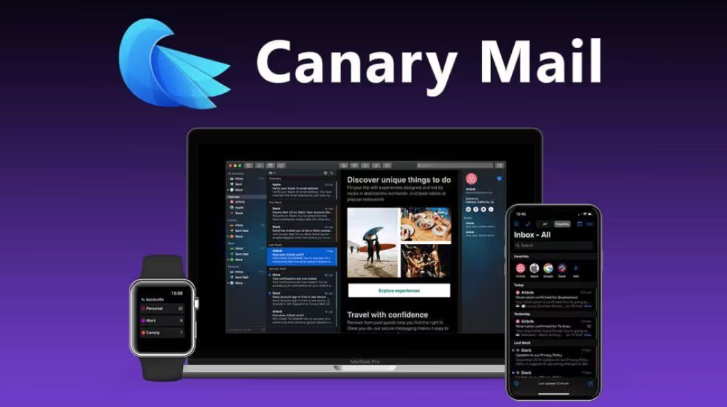
Canary Mail’s AI Copilot is an integrated part of the daily workflow. It focuses on reducing "inbox noise" through thread summarization and context-aware drafts. Crucially, Canary Mail states that your emails are not used to train third-party AI models, a key point for professionals handling sensitive client data. For those looking for alternatives to Spark, the seamless integration of AI here is often a deciding factor.
Canary Mail is a strong fit if you want a security-first environment without the technical overhead. It is known for its simplified PGP encryption and proactive tracker blocking, which alerts you to hidden pixels in incoming mail. Much of Canary Mail’s processing occurs locally, which supports its "Privacy-First" stance.
eM Client AI
eM Client includes optional AI writing and summarization tools powered by ChatGPT. These tools assist with drafting replies, rephrasing text, and adjusting the tone of your messages. While eM Client’s AI is powerful, it functions more as an add-on suite within a traditional interface, allowing users to toggle these capabilities based on their specific needs and plan levels.
eM Client is a robust option for users who require certificate-based security. It supports both PGP and S/MIME, making it a preferred choice for corporate environments where specific S/MIME certificates are mandated. However, the setup is more manual, appealing primarily to users comfortable with technical certificate management.
For a deeper look at AI competitors, see our Canary Mail vs Spark comparison.
Pros and Cons
Canary Mail
- Pros: Privacy Differentiator: Emails are never used to train AI models; Native, modern feel on macOS and iOS.
- Cons: Subscription-only model for Pro features; Minimalist design may lack some legacy folder-heavy features.
eM Client
- Pros: Licensing Flexibility: One-time purchase and lifetime upgrade options; Deeply optimized for Windows power users.
- Cons: Interface can feel dense and cluttered for minimalist fans; Setup for PGP/S/MIME is more manual than competitors.
[cta-block:ctablock2,title="Compare features that matter daily",button1="See Security Features",button1link="https://canarymail.io/features/security",button2="See AI Copilot",button2link="https://canarymail.io/features/ai"]
Video: The Smartest Email App on the Planet?
Watch how Canary Mail’s unique feature set helps professionals manage high-volume inboxes.
Pricing and Value
- Canary Mail: Offers a Free-forever plan for personal use, with Growth and Pro+ tiers for professionals. The subscription model ensures continuous security updates and AI refinements.
- eM Client: Offers significant licensing flexibility, including a free version for non-commercial use, monthly subscriptions, and a popular one-time purchase option with lifetime upgrades.
[cta-block:ctablock3,title="Ready to switch?",subtitle="Keep your accounts. Upgrade your workflow and privacy.",button1="Download",button1link="https://canarymail.io/downloads",button2="View Pricing",button2link="https://canarymail.io/pricing"]
Frequently Asked Questions
Is Canary Mail better than eM Client?
It depends on your priorities. Canary Mail is a strong fit if you want a modern Mac and iOS experience with privacy-first controls. eM Client is a strong option for Windows users who prefer a traditional desktop workflow.
Does eM Client have AI features?
Yes. eM Client includes optional AI writing and summarization tools, depending on your plan. These help with drafting replies, rephrasing text, and summarizing threads.
Is Canary Mail's AI secure?
Canary Mail positions its AI features as privacy-first. The company states that emails are not used to train AI models. For the most accurate details, review Canary Mail’s privacy policy.
Which is better for macOS users?
Canary Mail is typically preferred by macOS users who want a native Apple-first experience. eM Client works on macOS but maintains a traditional desktop feel.
Does eM Client support S/MIME as well as PGP?
Yes, eM Client is known for supporting both PGP and S/MIME, which is useful for users who need certificate-based email security.
Can I use Canary Mail with Gmail, Outlook, and iCloud accounts?
Yes. Canary Mail can connect to common providers like Gmail, Outlook, and iCloud, allowing you to manage all your existing accounts in one app.